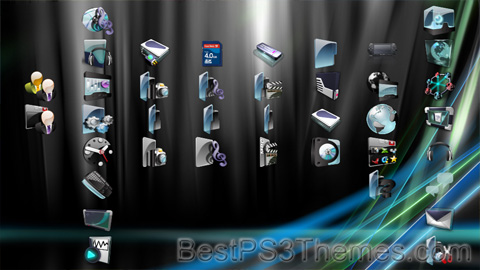
Slick Glass theme by jpang
Download: SlickGlass.p3t

The #1 spot for Playstation themes!
Principality Of Zeon theme by Matt Bray
Download: PrincipalityOfZeon.p3t

(3 backgrounds)
P3T Unpacker v0.12
Copyright (c) 2007. Anoop Menon
This program unpacks Playstation 3 Theme files (.p3t) so that you can touch-up an existing theme to your likings or use a certain wallpaper from it (as many themes have multiple). But remember, if you use content from another theme and release it, be sure to give credit!
Download for Windows: p3textractor.zip
Instructions:
Download p3textractor.zip from above. Extract the files to a folder with a program such as WinZip or WinRAR. Now there are multiple ways to extract the theme.
The first way is to simply open the p3t file with p3textractor.exe. If you don’t know how to do this, right click the p3t file and select Open With. Alternatively, open the p3t file and it will ask you to select a program to open with. Click Browse and find p3textractor.exe from where you previously extracted it to. It will open CMD and extract the theme to extracted.[filename]. After that, all you need to do for any future p3t files is open them and it will extract.
The second way is very simple. Just drag the p3t file to p3textractor.exe. It will open CMD and extract the theme to extracted.[filename].
For the third way, first put the p3t file you want to extract into the same folder as p3textractor.exe. Open CMD and browse to the folder with p3extractor.exe. Enter the following:
p3textractor filename.p3t [destination path]Replace filename with the name of the p3t file, and replace [destination path] with the name of the folder you want the files to be extracted to. A destination path is not required. By default it will extract to extracted.filename.
HighTech2 theme by Shawn
Download: HighTech2.p3t

(1 background)
P3T Unpacker v0.12
Copyright (c) 2007. Anoop Menon
This program unpacks Playstation 3 Theme files (.p3t) so that you can touch-up an existing theme to your likings or use a certain wallpaper from it (as many themes have multiple). But remember, if you use content from another theme and release it, be sure to give credit!
Download for Windows: p3textractor.zip
Instructions:
Download p3textractor.zip from above. Extract the files to a folder with a program such as WinZip or WinRAR. Now there are multiple ways to extract the theme.
The first way is to simply open the p3t file with p3textractor.exe. If you don’t know how to do this, right click the p3t file and select Open With. Alternatively, open the p3t file and it will ask you to select a program to open with. Click Browse and find p3textractor.exe from where you previously extracted it to. It will open CMD and extract the theme to extracted.[filename]. After that, all you need to do for any future p3t files is open them and it will extract.
The second way is very simple. Just drag the p3t file to p3textractor.exe. It will open CMD and extract the theme to extracted.[filename].
For the third way, first put the p3t file you want to extract into the same folder as p3textractor.exe. Open CMD and browse to the folder with p3extractor.exe. Enter the following:
p3textractor filename.p3t [destination path]Replace filename with the name of the p3t file, and replace [destination path] with the name of the folder you want the files to be extracted to. A destination path is not required. By default it will extract to extracted.filename.
HighTech theme by Shawn
Download: HighTech.p3t

(1 background)
P3T Unpacker v0.12
Copyright (c) 2007. Anoop Menon
This program unpacks Playstation 3 Theme files (.p3t) so that you can touch-up an existing theme to your likings or use a certain wallpaper from it (as many themes have multiple). But remember, if you use content from another theme and release it, be sure to give credit!
Download for Windows: p3textractor.zip
Instructions:
Download p3textractor.zip from above. Extract the files to a folder with a program such as WinZip or WinRAR. Now there are multiple ways to extract the theme.
The first way is to simply open the p3t file with p3textractor.exe. If you don’t know how to do this, right click the p3t file and select Open With. Alternatively, open the p3t file and it will ask you to select a program to open with. Click Browse and find p3textractor.exe from where you previously extracted it to. It will open CMD and extract the theme to extracted.[filename]. After that, all you need to do for any future p3t files is open them and it will extract.
The second way is very simple. Just drag the p3t file to p3textractor.exe. It will open CMD and extract the theme to extracted.[filename].
For the third way, first put the p3t file you want to extract into the same folder as p3textractor.exe. Open CMD and browse to the folder with p3extractor.exe. Enter the following:
p3textractor filename.p3t [destination path]Replace filename with the name of the p3t file, and replace [destination path] with the name of the folder you want the files to be extracted to. A destination path is not required. By default it will extract to extracted.filename.
Arsenal theme by Fluffy_Penguin
Download: Arsenal.p3t

(1 background)
 | This article needs additional citations for verification. (September 2014) |


.JPG)
An arsenal is a place where arms and ammunition are made, maintained and repaired, stored, or issued, in any combination, whether privately or publicly owned. Arsenal and armoury (British English) or armory (American English)[1][2] are mostly regarded as synonyms, although subtle differences in usage exist.
A sub-armory is a place of temporary storage or carrying of weapons and ammunition, such as any temporary post or patrol vehicle that is only operational in certain times of the day.[3]
The term in English entered the language in the 16th century as a loanword from French: arsenal, itself deriving from the term Italian: arsenale, which in turn is thought to be a corruption of Arabic: دار الصناعة, dār aṣ-ṣināʿa, meaning "manufacturing shop".[4][5][6][7][8][9]
A lower-class arsenal, which can furnish the materiel and equipment of a small army, may contain a laboratory, gun and carriage factories, small-arms ammunition, small-arms, harness, saddlery tent and powder factories; in addition, it must possess great storehouses. In a second-class arsenal, the factories would be replaced by workshops. The situation of an arsenal should be governed by strategic considerations. If of the first class, it should be situated at the base of operations and supply, secure from attack, not too near a frontier, and placed so as to draw in readily the resources of the country. The importance of a large arsenal is such that its defences would be on the scale of those of a large fortress.
In the early 21st century, the term "floating armoury" described a ship storing weapons to be supplied to merchant vessels in international waters subject to piracy, so that the weapons do not enter territorial waters where they would be illegal.
The branches in a great arsenal are usually subdivided into storekeeping, construction and administration:
In the manufacturing branches are required skill, and efficient and economical work, both executive and administrative; in the storekeeping part, good arrangement, great care, thorough knowledge of all warlike stores, both in their active and passive state, and scrupulous exactness in the custody, issue and receipt of stores. Frederick Taylor introduced command and control techniques to arsenals, including the U.S.'s Watertown Arsenal (a principal center for artillery design and manufacture) and Frankford Arsenal (a principal center for small arms ammunition design and manufacture).[10]
 One or more of the preceding sentences incorporates text from this source, which is in the public domain: Chisholm, Hugh, ed. (1911). . Encyclopædia Britannica. Vol. 02 (11th ed.). Cambridge University Press. pp. 650 to 651.


This article incorporates text from a publication now in the public domain: Chisholm, Hugh, ed. (1911). "Arsenal". Encyclopædia Britannica (11th ed.). Cambridge University Press.