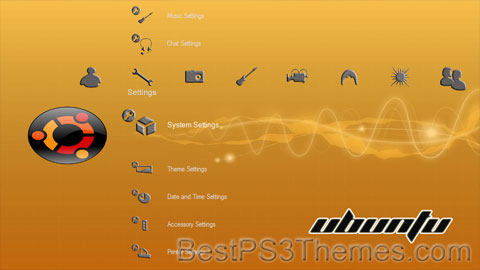
Ubuntu theme by Sygal
Download: Ubuntu.p3t

(1 background)
Ubuntu 24.04 "Noble Numbat" | |
| Developer | Canonical Ltd. |
|---|---|
| OS family | Linux (Unix-like) |
| Working state | Current |
| Source model | Open-source[1][2] |
| Initial release | Ubuntu 4.10 (Warty Warthog) / 20 October 2004 |
| Latest release | LTS: 24.04 LTS[3] |
| Repository | |
| Marketing target | Cloud computing, personal computers, servers, supercomputers, IoT |
| Available in | More than 55 languages by LoCos |
| Update method | Software Updater, Ubuntu Software, apt |
| Package manager | GNOME Software, dpkg (APT), Snap – graphical front-end: Snap Store |
| Platforms | |
| Kernel type | Monolithic (Linux kernel) |
| Userland | GNU |
| Default user interface | GNOME |
| License | Free software + some proprietary device drivers[6] |
| Official website | ubuntu |
Ubuntu (/ʊˈbʊntuː/ uu-BUUN-too)[7] is a Linux distribution derived from Debian and composed mostly of free and open-source software.[8][9][10] Ubuntu is officially released in multiple editions: Desktop,[11] Server,[12] and Core[13] for Internet of things devices[14] and robots.[15][16] The operating system is developed by the British company Canonical,[17] and a community of other developers, under a meritocratic governance model.[7][18] As of April 2024[update], the most-recent long-term support release is 24.04 ("Noble Numbat").
As with other Linux distributions, all of the editions can run on a computer alone, or in a virtual machine. An upgrade to Ubuntu is released every six months, with long-term support (LTS) releases every two years.[7][19][20] Canonical provides security updates and support for each Ubuntu release, starting from the release date until the release reaches its designated end-of-life (EOL) date.[7][21][22] Canonical generates revenue through the sale of premium services related to Ubuntu and donations from those who download the Ubuntu software.[23][24][25]
Ubuntu is named after the Nguni philosophy of ubuntu, "humanity to others" with a connotation of "I am what I am because of who we all are".[7] Since the release of the first version in 2004, Ubuntu has become one of the most popular Linux distributions for general purposes[26][27] and is backed by large online communities like Ask Ubuntu. Numerous community-editions of Ubuntu also exist.[28] It is also popular for cloud computing, with support for OpenStack.[29]

Background[edit]
Ubuntu is built on Debian's architecture and infrastructure, and comprises Linux server, desktop and discontinued phone and tablet operating system versions.[30] Ubuntu releases updated versions predictably every six months,[31] and each release receives free support for nine months (eighteen months prior to 13.04)[32] with security fixes, high-impact bug fixes and conservative, substantially beneficial low-risk bug fixes.[33] The first release was in October 2004.[34]
Current long-term support (LTS) releases are supported for five years, and are released every two years. Since the release of Ubuntu 6.06, every fourth release receives long-term support.[31] Long-term support includes updates for new hardware, security patches and updates to the 'Ubuntu stack' (cloud computing infrastructure).[35] The first LTS releases were supported for three years on the desktop and five years on the server; since Ubuntu 12.04 LTS, desktop support for LTS releases was increased to five years as well.[36][37][38] LTS releases get regular point releases with support for new hardware and integration of all the updates published in that series to date.[39]
Ubuntu packages are based on Debian's unstable branch, which are synchronized every six months. Both distributions use Debian's deb package format and package management tools (e.g. APT and Ubuntu Software). Debian and Ubuntu packages are not necessarily binary compatible with each other, however, so packages may need to be rebuilt from source to be used in Ubuntu.[40] Many Ubuntu developers are also maintainers of key packages within Debian. Ubuntu cooperates with Debian by pushing changes back to Debian,[41] although there has been criticism that this does not happen often enough. Ian Murdock, the founder of Debian, had expressed concern about Ubuntu packages potentially diverging too far from Debian to remain compatible.[42] Before release, packages are imported from Debian unstable continuously and merged with Ubuntu-specific modifications. At some point during the release process, the Debian Import Freeze is implemented. This prevents the automatic import of packages from Debian without an explicit request from a developer. In combination with other freezes, this helps packagers ensure that frozen features interoperate well together.[43][44]
Ubuntu is currently funded by Canonical Ltd. On 8 July 2005, Mark Shuttleworth and Canonical announced the creation of the Ubuntu Foundation and provided initial funding of US$10 million. The purpose of the foundation is to ensure the support and development for all future versions of Ubuntu. Mark Shuttleworth describes the foundation goal as to ensure the continuity of the Ubuntu project.[45]
On 12 March 2009, Ubuntu announced developer support for third-party cloud management platforms, such as those used at Amazon EC2.[46]
32-bit x86 processors were supported up to Ubuntu 18.04. It was decided to support "legacy software", i.e. select 32-bit i386 packages for Ubuntu 19.10 (since out of support) and 20.04 LTS.[47]
Features[edit]
A default installation of Ubuntu as of version 23.10 contains a minimal selection of software, namely a web browser (Firefox) and basic GNOME utilities.[48] Many additional software packages are accessible from the built-in Ubuntu Software (previously Ubuntu Software Center) as well as any other APT-based package management tools. Many additional software packages that are no longer installed by default, such as Evolution, GIMP, Pidgin, and Synaptic, are still accessible in the repositories and installable by the main tool or by any other APT-based package management tool. Cross-distribution snap packages and Flatpaks are also available,[49] that both allow installing software, such as some of Microsoft's software, in most of the major Linux operating systems (such as any currently supported Ubuntu version and in Fedora). The default file manager is GNOME Files, formerly called Nautilus.[50][51]
All of the application software installed by default is free software. In addition, Ubuntu redistributes some hardware drivers that are available only in binary format, but such packages are clearly marked in the restricted component.[52]
Ubuntu's default desktop changed back from the in-house Unity to GNOME after nearly 6.5 years in 2017 upon the release of version 17.10.[53]
Security[edit]
Ubuntu aims to be secure by default.[54][55] User programs run with low privileges and cannot corrupt the operating system or other users' files. For increased security, the sudo tool is used to assign temporary privileges for performing administrative tasks, which allows the root account to remain locked and helps prevent inexperienced users from inadvertently making catastrophic system changes or opening security holes.[56] Polkit is also being widely implemented into the desktop.[citation needed]
Most network ports are closed by default to prevent hacking.[57] A built-in firewall allows end-users who install network servers to control access. A GUI (GUI for Uncomplicated Firewall) is available to configure it.[58] Ubuntu compiles its packages using GCC features such as PIE and buffer overflow protection to harden its software.[59][relevant? – discuss] These extra features greatly increase security at the performance expense of 0.01% in 64-bit.[60]
Ubuntu also supports full disk encryption[61] as well as encryption of the home and private directories.[62]
Installation[edit]
The system requirements vary among Ubuntu products. For the Ubuntu desktop release 22.04 LTS, a PC with at least 2 GHz dual-core processor, 4 GB of RAM and 25 GB of free disk space is recommended.[63] For less powerful computers, there are other Ubuntu distributions such as Lubuntu and Xubuntu. Ubuntu also supports the ARM architecture.[4][64][65][66][67] It is also available on Power ISA,[4][68][69][70] while older PowerPC architecture was at one point unofficially supported,[71] and now newer Power ISA CPUs (POWER8) are supported. The x86-64 ("AMD64") architecture is also officially supported.[4]
Live images are the typical way for users to assess and subsequently install Ubuntu.[8]
These can be downloaded as a disk image (.iso) and subsequently burnt to a DVD or USB flash drive and then booted. Other methods include running the live version via UNetbootin, Universal USB Installer, or Startup Disk Creator (a pre-installed tool on Ubuntu, available on machines already running the OS) directly from a USB drive (making, respectively, a live DVD or live USB medium). Running Ubuntu in this way is slower than running it from a hard drive, but does not alter the computer unless specifically instructed by the user. If the user chooses to boot the live image rather than execute an installer at boot time, there is still the option to then use the Ubuntu Desktop Installer once booted into the live environment.[72] The Ubuntu Desktop Installer replaced the former Ubiquity installer since Ubuntu 23.04.[73] Disk images of all current and past versions are available for download at the Ubuntu web site.[74]
Additionally, USB flash drive installations can be used to boot Ubuntu and Kubuntu in a way that allows permanent saving of user settings and portability of the USB-installed system between physical machines (however, the computers' BIOS must support booting from USB).[75] In newer versions of Ubuntu, the Ubuntu Live USB creator can be used to install Ubuntu on a USB drive (with or without a live CD or DVD). Creating a bootable USB drive with persistence is as simple as dragging a slider to determine how much space to reserve for persistence; for this, Ubuntu employs casper.[76][77]
Package classification and support[edit]
Ubuntu divides most software into four domains to reflect differences in licensing and the degree of support available.[78] Some unsupported applications receive updates from community members known as "Masters of the Universe" (MOTU),[79] but not from Canonical Ltd.[citation needed]
| Free software | Non-free software | |
|---|---|---|
| Officially supported by Canonical | Main | Restricted |
| Community supported/Third party | Universe | Multiverse |
Free software includes software that has met the Ubuntu licensing requirements,[78] which roughly correspond to the Debian Free Software Guidelines. Exceptions, however, include firmware, in the Main category, because although some firmware is not allowed to be modified, its distribution is still permitted.[80]
Non-free software is usually unsupported (Multiverse), but some exceptions (Restricted) are made for important non-free software. Supported non-free software includes device drivers that can be used to run Ubuntu on some current hardware, such as binary-only graphics card drivers. The level of support in the Restricted category is more limited than that of Main, because the developers may not have access to the source code. It is intended that Main and Restricted should contain all software needed for a complete desktop environment.[78]
In addition to the above, in which the software does not receive new features after an initial release, Ubuntu Backports is an officially recognised repository for backporting newer software from later versions of Ubuntu.[81]
The -updates repository provides stable release updates (SRU) of Ubuntu and are generally installed through update-manager. Each release is given its own -updates repository (e.g. intrepid-updates). The repository is supported by Canonical Ltd. for packages in main and restricted, and by the community for packages in universe and multiverse. All updates to the repository must meet certain requirements and go through the -proposed repository before being made available to the public.[82] Updates are scheduled to be available until the end of life for the release.[citation needed]
In addition to the -updates repository, the unstable -proposed repository contains uploads that must be confirmed before being copied into -updates. All updates must go through this process to ensure that the patch does truly fix the bug and there is no risk of regression.[83] Updates in -proposed are confirmed by either Canonical or members of the community.[citation needed]
Canonical previously hosted a partner repository that let vendors of proprietary software deliver their products to Ubuntu users at no cost through the same familiar tools for installing and upgrading software.[84] The software in the partner repository was officially supported with security and other important updates by its respective vendors. Canonical supported the packaging of the software for Ubuntu[85][86][87] and provided guidance to vendors.[84] However, in anticipation for the release of Ubuntu 22.04 LTS Canonical closed the partner repository, as the only package still hosted in it was Adobe Flash, which would not be released with 22.04.[88] Ubuntu developer Steve Langasek said in a development mailing list that he felt the "Snap Store has matured to the point that I believe it supersedes the partner archive".[89]
Package Archives[edit]
A Personal Package Archive (PPA) is a software repository for uploading source packages to be built and published as an Advanced Packaging Tool (APT) repository by Launchpad.[90] While the term is used exclusively within Ubuntu, Launchpad's host, Canonical, envisions adoption beyond the Ubuntu community.[91]
Third-party software[edit]
Some third-party software that does not limit distribution is included in Ubuntu's multiverse component. The package ubuntu-restricted-extras additionally contains software that may be legally restricted, including support for DVD playback, Microsoft TrueType core fonts, many common audio/video codecs, and unrar, an unarchiver for files compressed in the RAR file format.[92]
Additionally, third-party application suites are available for download via Ubuntu Software and the Snap store,[93] including many games such as Braid, Minecraft and Oil Rush,[94] software for DVD playback and media codecs.[95]
Releases[edit]
| Version | Code name | Release date | General support until | Security support (ESM) until |
|---|---|---|---|---|
| 14.04 LTS | Trusty Tahr | 2014-04-17[96] | 2019-04-25[96] | 2024-04-25 |
| 16.04 LTS | Xenial Xerus[97] | 2016-04-21[98] | 2021-04-30[99] | 2026-04 |
| 18.04 LTS | Bionic Beaver | 2018-04-26[100] | 2023-05-31[101] | 2028-04 |
| 20.04 LTS | Focal Fossa | 2020-04-23[102] | 2025-05-29[103] | 2030-04 |
| 22.04 LTS | Jammy Jellyfish[104] | 2022-04-21[105] | 2027-06-01 | 2032-04 |
| 23.10 | Mantic Minotaur | 2023-10-12 | 2024-07-11 | unavailable |
| 24.04 LTS | Noble Numbat | 2024-04-25[106] | 2029-05-31 | 2034-04-25 |
Legend: Old version Older version, still maintained Latest version
One Reply to “Ubuntu”Comments are closed. | ||||

Yeah!! Ubuntu, Linux, GNU = FREEDOM!!!