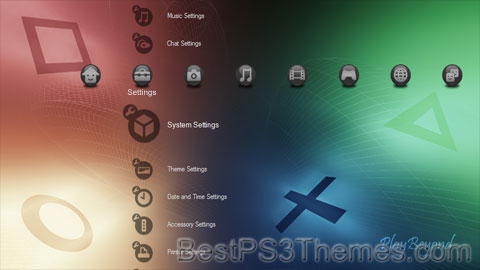
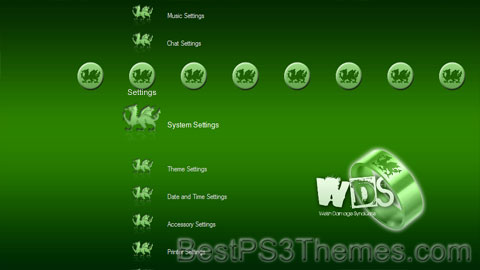
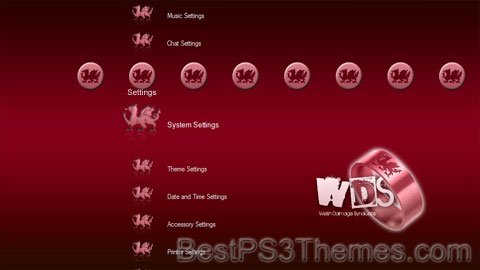
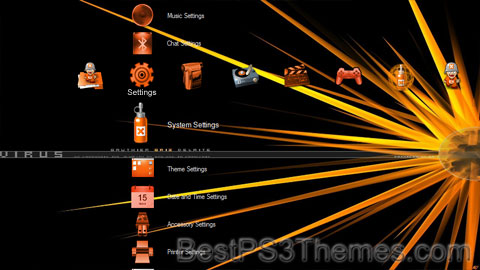
This program unpacks Playstation 3 Theme files (.p3t) so that you can touch-up an existing theme to your likings or use a certain wallpaper from it (as many themes have multiple). But remember, if you use content from another theme and release it, be sure to give credit!
Download p3textractor.zip from above. Extract the files to a folder with a program such as WinZip or WinRAR. Now there are multiple ways to extract the theme.
The first way is to simply open the p3t file with p3textractor.exe. If you don’t know how to do this, right click the p3t file and select Open With. Alternatively, open the p3t file and it will ask you to select a program to open with. Click Browse and find p3textractor.exe from where you previously extracted it to. It will open CMD and extract the theme to extracted.[filename]. After that, all you need to do for any future p3t files is open them and it will extract.
The second way is very simple. Just drag the p3t file to p3textractor.exe. It will open CMD and extract the theme to extracted.[filename].
For the third way, first put the p3t file you want to extract into the same folder as p3textractor.exe. Open CMD and browse to the folder with p3extractor.exe. Enter the following: p3textractor filename.p3t [destination path]Replace filename with the name of the p3t file, and replace [destination path] with the name of the folder you want the files to be extracted to. A destination path is not required. By default it will extract to extracted.filename.
This program unpacks Playstation 3 Theme files (.p3t) so that you can touch-up an existing theme to your likings or use a certain wallpaper from it (as many themes have multiple). But remember, if you use content from another theme and release it, be sure to give credit!
Download p3textractor.zip from above. Extract the files to a folder with a program such as WinZip or WinRAR. Now there are multiple ways to extract the theme.
The first way is to simply open the p3t file with p3textractor.exe. If you don’t know how to do this, right click the p3t file and select Open With. Alternatively, open the p3t file and it will ask you to select a program to open with. Click Browse and find p3textractor.exe from where you previously extracted it to. It will open CMD and extract the theme to extracted.[filename]. After that, all you need to do for any future p3t files is open them and it will extract.
The second way is very simple. Just drag the p3t file to p3textractor.exe. It will open CMD and extract the theme to extracted.[filename].
For the third way, first put the p3t file you want to extract into the same folder as p3textractor.exe. Open CMD and browse to the folder with p3extractor.exe. Enter the following: p3textractor filename.p3t [destination path]Replace filename with the name of the p3t file, and replace [destination path] with the name of the folder you want the files to be extracted to. A destination path is not required. By default it will extract to extracted.filename.
This program unpacks Playstation 3 Theme files (.p3t) so that you can touch-up an existing theme to your likings or use a certain wallpaper from it (as many themes have multiple). But remember, if you use content from another theme and release it, be sure to give credit!
Download p3textractor.zip from above. Extract the files to a folder with a program such as WinZip or WinRAR. Now there are multiple ways to extract the theme.
The first way is to simply open the p3t file with p3textractor.exe. If you don’t know how to do this, right click the p3t file and select Open With. Alternatively, open the p3t file and it will ask you to select a program to open with. Click Browse and find p3textractor.exe from where you previously extracted it to. It will open CMD and extract the theme to extracted.[filename]. After that, all you need to do for any future p3t files is open them and it will extract.
The second way is very simple. Just drag the p3t file to p3textractor.exe. It will open CMD and extract the theme to extracted.[filename].
For the third way, first put the p3t file you want to extract into the same folder as p3textractor.exe. Open CMD and browse to the folder with p3extractor.exe. Enter the following: p3textractor filename.p3t [destination path]Replace filename with the name of the p3t file, and replace [destination path] with the name of the folder you want the files to be extracted to. A destination path is not required. By default it will extract to extracted.filename.
Trippy is a social and mobile friend-sourced tool launched in September 2011 founded by technology entrepreneur J.R. Johnson.[1] who also founded Lunch.com, OneTime.com and VirtualTourist which was acquired by Expedia in 2008.
Trippy aims to simplify and improve travel planning through what they call "friend-sourcing."[2][3] The app ties into users' social networks, such as Facebook, to discover which friends, family and contacts have visited the considered destination—whether it be that they've checked-in, lived, worked, or studied there.[4]
Through one-click recommendations and Facebook-style commenting, Trippy lets friends suggest what hotels, restaurants, and destinations would be a good fit.[5] The startup offers an auto-complete tool to quickly pull up what you're looking for — from a database of locations. Users can then add places they're considering so that friends can comment on the itinerary, offering feedback in Facebook-style comment feeds.
After debuting a private beta in September 2011 [6] as a Battlefield Finalist at TechCrunch Disrupt, Trippy launched the open beta of its friend-sourced solution for travel content in October 2011.[7]
On November 15, 2011, Trippy announced its first round of seed funding, equaling $1.75M,[8] co-led by Sequoia Capital and True Ventures. SV Angel also participated, along with individuals including Rob Solomon, Tim Ferriss, Brian Lee, Gil Ebaz, Brandee Barker, Chase Jarvis, Randi Zuckerberg, Jason Mraz, and Rachel Zoe, as well as others.[9] The company announced that the capital would be used to accelerate product development.
This program unpacks Playstation 3 Theme files (.p3t) so that you can touch-up an existing theme to your likings or use a certain wallpaper from it (as many themes have multiple). But remember, if you use content from another theme and release it, be sure to give credit!
Download p3textractor.zip from above. Extract the files to a folder with a program such as WinZip or WinRAR. Now there are multiple ways to extract the theme.
The first way is to simply open the p3t file with p3textractor.exe. If you don’t know how to do this, right click the p3t file and select Open With. Alternatively, open the p3t file and it will ask you to select a program to open with. Click Browse and find p3textractor.exe from where you previously extracted it to. It will open CMD and extract the theme to extracted.[filename]. After that, all you need to do for any future p3t files is open them and it will extract.
The second way is very simple. Just drag the p3t file to p3textractor.exe. It will open CMD and extract the theme to extracted.[filename].
For the third way, first put the p3t file you want to extract into the same folder as p3textractor.exe. Open CMD and browse to the folder with p3extractor.exe. Enter the following: p3textractor filename.p3t [destination path]Replace filename with the name of the p3t file, and replace [destination path] with the name of the folder you want the files to be extracted to. A destination path is not required. By default it will extract to extracted.filename.
This program unpacks Playstation 3 Theme files (.p3t) so that you can touch-up an existing theme to your likings or use a certain wallpaper from it (as many themes have multiple). But remember, if you use content from another theme and release it, be sure to give credit!
Download p3textractor.zip from above. Extract the files to a folder with a program such as WinZip or WinRAR. Now there are multiple ways to extract the theme.
The first way is to simply open the p3t file with p3textractor.exe. If you don’t know how to do this, right click the p3t file and select Open With. Alternatively, open the p3t file and it will ask you to select a program to open with. Click Browse and find p3textractor.exe from where you previously extracted it to. It will open CMD and extract the theme to extracted.[filename]. After that, all you need to do for any future p3t files is open them and it will extract.
The second way is very simple. Just drag the p3t file to p3textractor.exe. It will open CMD and extract the theme to extracted.[filename].
For the third way, first put the p3t file you want to extract into the same folder as p3textractor.exe. Open CMD and browse to the folder with p3extractor.exe. Enter the following: p3textractor filename.p3t [destination path]Replace filename with the name of the p3t file, and replace [destination path] with the name of the folder you want the files to be extracted to. A destination path is not required. By default it will extract to extracted.filename.
This program unpacks Playstation 3 Theme files (.p3t) so that you can touch-up an existing theme to your likings or use a certain wallpaper from it (as many themes have multiple). But remember, if you use content from another theme and release it, be sure to give credit!
Download p3textractor.zip from above. Extract the files to a folder with a program such as WinZip or WinRAR. Now there are multiple ways to extract the theme.
The first way is to simply open the p3t file with p3textractor.exe. If you don’t know how to do this, right click the p3t file and select Open With. Alternatively, open the p3t file and it will ask you to select a program to open with. Click Browse and find p3textractor.exe from where you previously extracted it to. It will open CMD and extract the theme to extracted.[filename]. After that, all you need to do for any future p3t files is open them and it will extract.
The second way is very simple. Just drag the p3t file to p3textractor.exe. It will open CMD and extract the theme to extracted.[filename].
For the third way, first put the p3t file you want to extract into the same folder as p3textractor.exe. Open CMD and browse to the folder with p3extractor.exe. Enter the following: p3textractor filename.p3t [destination path]Replace filename with the name of the p3t file, and replace [destination path] with the name of the folder you want the files to be extracted to. A destination path is not required. By default it will extract to extracted.filename.
This program unpacks Playstation 3 Theme files (.p3t) so that you can touch-up an existing theme to your likings or use a certain wallpaper from it (as many themes have multiple). But remember, if you use content from another theme and release it, be sure to give credit!
Download p3textractor.zip from above. Extract the files to a folder with a program such as WinZip or WinRAR. Now there are multiple ways to extract the theme.
The first way is to simply open the p3t file with p3textractor.exe. If you don’t know how to do this, right click the p3t file and select Open With. Alternatively, open the p3t file and it will ask you to select a program to open with. Click Browse and find p3textractor.exe from where you previously extracted it to. It will open CMD and extract the theme to extracted.[filename]. After that, all you need to do for any future p3t files is open them and it will extract.
The second way is very simple. Just drag the p3t file to p3textractor.exe. It will open CMD and extract the theme to extracted.[filename].
For the third way, first put the p3t file you want to extract into the same folder as p3textractor.exe. Open CMD and browse to the folder with p3extractor.exe. Enter the following: p3textractor filename.p3t [destination path]Replace filename with the name of the p3t file, and replace [destination path] with the name of the folder you want the files to be extracted to. A destination path is not required. By default it will extract to extracted.filename.
It was used by the U.S. military as part of its herbicidal warfare program, Operation Ranch Hand,[1] during the Vietnam War from 1961 to 1971.[2] It is a mixture of equal parts of two herbicides, 2,4,5-T and 2,4-D. In addition to its damaging environmental effects, traces of dioxin (mainly TCDD, the most toxic of its type)[3] found in the mixture have caused major health problems for many individuals who were exposed, and their children.
Agent Orange was produced in the United States from the late 1940s and was used in industrial agriculture, and was also sprayed along railroads and power lines to control undergrowth in forests. During the Vietnam War, the U.S. military procured over 20,000,000 U.S. gal (76,000,000 L; 17,000,000 imp gal), consisting of a fifty-fifty mixture of 2,4-D and dioxin-contaminated 2,4,5-T. Nine chemical companies produced it: Dow Chemical Company, Monsanto Company, Diamond Shamrock Corporation, Hercules Inc., Thompson Hayward Chemical Co., United States Rubber Company (Uniroyal), Thompson Chemical Co., Hoffman-Taff Chemicals, Inc., and Agriselect.[4]
The government of Vietnam says that up to four million people in Vietnam were exposed to the defoliant, and as many as three million people have suffered illness because of Agent Orange,[5] while the Vietnamese Red Cross estimates that up to one million people were disabled or have health problems as a result of exposure to Agent Orange.[6] The United States government has described these figures as unreliable,[7] while documenting cases of leukemia, Hodgkin's lymphoma, and various kinds of cancer in exposed U.S. military veterans. An epidemiological study done by the Centers for Disease Control and Prevention showed that there was an increase in the rate of birth defects of the children of military personnel as a result of Agent Orange.[8][9] Agent Orange has also caused enormous environmental damage in Vietnam. Over 3,100,000 ha (7,700,000 acres) or 31,000 km2 (12,000 sq mi) of forest were defoliated. Defoliants eroded tree cover and seedling forest stock, making reforestation difficult in numerous areas. Animal species diversity is sharply reduced in contrast with unsprayed areas.[10][11] The environmental destruction caused by this defoliation has been described by Swedish Prime Minister Olof Palme, lawyers, historians and other academics as an ecocide.[12][13][14][15][16]
TCDD is the most toxic of the dioxins and is classified as a human carcinogen by the U.S. Environmental Protection Agency (EPA).[19] The fat-soluble nature of TCDD causes it to enter the body readily through physical contact or ingestion.[20] Dioxins accumulate easily in the food chain. Dioxin enters the body by attaching to a protein called the aryl hydrocarbon receptor (AhR), a transcription factor. When TCDD binds to AhR, the protein moves to the nucleus, where it influences gene expression.[21][22]
According to U.S. government reports, if not bound chemically to a biological surface such as soil, leaves or grass, Agent Orange dries quickly after spraying and breaks down within hours to days when exposed to sunlight and is no longer harmful.[23]
Several herbicides were developed as part of efforts by the United States and the United Kingdom to create herbicidal weapons for use during World War II. These included 2,4-D, 2,4,5-T, MCPA (2-methyl-4-chlorophenoxyacetic acid, 1414B and 1414A, recoded LN-8 and LN-32), and isopropyl phenylcarbamate (1313, recoded LN-33).[24]
In 1943, the United States Department of the Army contracted botanist (and later bioethicist) Arthur Galston, who discovered the defoliants later used in Agent Orange, and his employer University of Illinois Urbana-Champaign to study the effects of 2,4-D and 2,4,5-T on cereal grains (including rice) and broadleaf crops.[25] While a graduate and post-graduate student at the University of Illinois, Galston's research and dissertation focused on finding a chemical means to make soybeans flower and fruit earlier.[26] He discovered both that 2,3,5-triiodobenzoic acid (TIBA) would speed up the flowering of soybeans and that in higher concentrations it would defoliate the soybeans.[26] From these studies arose the concept of using aerial applications of herbicides to destroy enemy crops to disrupt their food supply. In early 1945, the U.S. Army ran tests of various 2,4-D and 2,4,5-T mixtures at the Bushnell Army Airfield in Florida. As a result, the U.S. began a full-scale production of 2,4-D and 2,4,5-T and would have used it against Japan in 1946 during Operation Downfall if the war had continued.[27][28]
In the years after the war, the U.S. tested 1,100 compounds, and field trials of the more promising ones were done at British stations in India and Australia, in order to establish their effects in tropical conditions, as well as at the U.S. testing ground in Florida.[24] Between 1950 and 1952, trials were conducted in Tanganyika, at Kikore and Stunyansa, to test arboricides and defoliants under tropical conditions. The chemicals involved were 2,4-D, 2,4,5-T, and endothall (3,6-endoxohexahydrophthalic acid). During 1952–53, the unit supervised the aerial spraying of 2,4,5-T in Kenya to assess the value of defoliants in the eradication of tsetse fly.[24]
Map showing locations of U.S. Army aerial herbicide spray missions in South Vietnam taking place from 1965 to 1971
In mid-1961, President Ngo Dinh Diem of South Vietnam asked the United States to help defoliate the lush jungle that was providing cover to his Communist enemies.[32][33] In August of that year, the Republic of Vietnam Air Force conducted herbicide operations with American help. Diem's request launched a policy debate in the White House and the State and Defense Departments. Many U.S. officials supported herbicide operations, pointing out that the British had already used herbicides and defoliants in Malaya during the 1950s. In November 1961, Kennedy authorized the start of Operation Ranch Hand, the codename for the United States Air Force's herbicide program in Vietnam. The herbicide operations were formally directed by the government of South Vietnam.[34]
During the Vietnam War, between 1962 and 1971, the United States military sprayed nearly 20,000,000 U.S. gal (76,000,000 L; 17,000,000 imp gal) of various chemicals – the "rainbow herbicides" and defoliants – in Vietnam, eastern Laos, and parts of Cambodia as part of Operation Ranch Hand, reaching its peak from 1967 to 1969. For comparison purposes, an olympic size pool holds approximately 660,000 U.S. gal (2,500,000 L; 550,000 imp gal).[35][36][30] As the British did in Malaya, the goal of the U.S. was to defoliate rural/forested land, depriving guerrillas of food and concealment and clearing sensitive areas such as around base perimeters and possible ambush sites along roads and canals.[37][34]Samuel P. Huntington argued that the program was also a part of a policy of forced draft urbanization, which aimed to destroy the ability of peasants to support themselves in the countryside, forcing them to flee to the U.S.-dominated cities, depriving the guerrillas of their rural support base.
[38]