Fergie

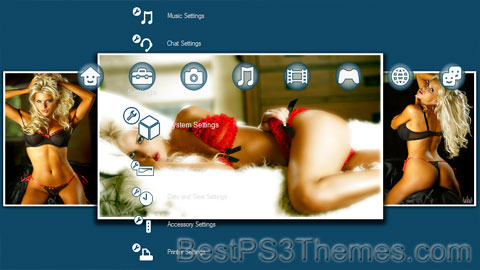
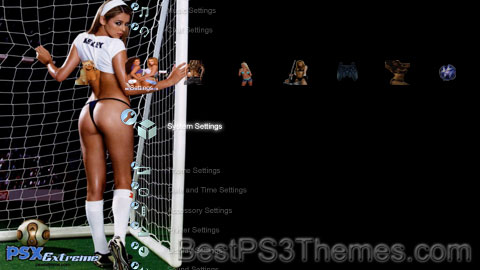
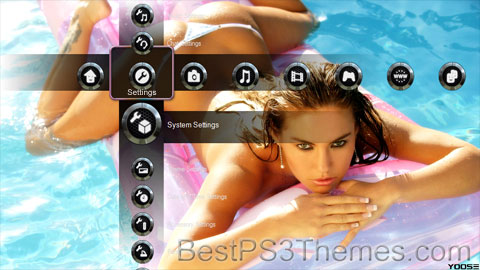
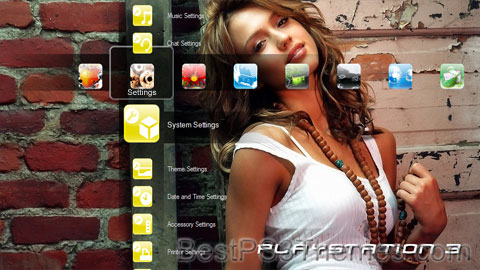
Fergie theme by Orlan

Download: Fergie.p3t

Fergie Theme
(6 backgrounds)

Fergie or Fergy or Fergee is a short form of the names Fergus, Ferguson, and Fergusson.

It may refer to:

People[edit]

Other uses[edit]

See also[edit]

Sexy Brooke

Sexy Brooke theme by Headshots4life

Download: SexyBrooke.p3t

Sexy Brooke Theme
(4 backgrounds)

P3T Unpacker v0.12
Copyright (c) 2007. Anoop Menon

This program unpacks Playstation 3 Theme files (.p3t) so that you can touch-up an existing theme to your likings or use a certain wallpaper from it (as many themes have multiple). But remember, if you use content from another theme and release it, be sure to give credit!

Download for Windows: p3textractor.zip

Instructions:

Download p3textractor.zip from above. Extract the files to a folder with a program such as WinZip or WinRAR. Now there are multiple ways to extract the theme.

The first way is to simply open the p3t file with p3textractor.exe. If you don’t know how to do this, right click the p3t file and select Open With. Alternatively, open the p3t file and it will ask you to select a program to open with. Click Browse and find p3textractor.exe from where you previously extracted it to. It will open CMD and extract the theme to extracted.[filename]. After that, all you need to do for any future p3t files is open them and it will extract.

The second way is very simple. Just drag the p3t file to p3textractor.exe. It will open CMD and extract the theme to extracted.[filename].

For the third way, first put the p3t file you want to extract into the same folder as p3textractor.exe. Open CMD and browse to the folder with p3extractor.exe. Enter the following:
p3textractor filename.p3t [destination path]Replace filename with the name of the p3t file, and replace [destination path] with the name of the folder you want the files to be extracted to. A destination path is not required. By default it will extract to extracted.filename.

FHM Top Ten Sexiest Women 2008

FHM Top Ten Sexiest Women 2008 theme by TFish

Download: FHMTopTenSexiestWomen2008.p3t

FHM Top Ten Sexiest Women 2008 Theme
(10 backgrounds)

P3T Unpacker v0.12
Copyright (c) 2007. Anoop Menon

This program unpacks Playstation 3 Theme files (.p3t) so that you can touch-up an existing theme to your likings or use a certain wallpaper from it (as many themes have multiple). But remember, if you use content from another theme and release it, be sure to give credit!

Download for Windows: p3textractor.zip

Instructions:

Download p3textractor.zip from above. Extract the files to a folder with a program such as WinZip or WinRAR. Now there are multiple ways to extract the theme.

The first way is to simply open the p3t file with p3textractor.exe. If you don’t know how to do this, right click the p3t file and select Open With. Alternatively, open the p3t file and it will ask you to select a program to open with. Click Browse and find p3textractor.exe from where you previously extracted it to. It will open CMD and extract the theme to extracted.[filename]. After that, all you need to do for any future p3t files is open them and it will extract.

The second way is very simple. Just drag the p3t file to p3textractor.exe. It will open CMD and extract the theme to extracted.[filename].

For the third way, first put the p3t file you want to extract into the same folder as p3textractor.exe. Open CMD and browse to the folder with p3extractor.exe. Enter the following:
p3textractor filename.p3t [destination path]Replace filename with the name of the p3t file, and replace [destination path] with the name of the folder you want the files to be extracted to. A destination path is not required. By default it will extract to extracted.filename.

What’s on your PS3? Mk2

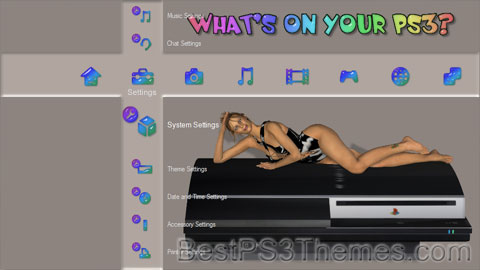
What’s on your PS3? Mk2 theme by Robert Waston

Download: WhatsonyourPS3Mk2.p3t

What’s on your PS3? Mk2 Theme
(4 backgrounds)

P3T Unpacker v0.12
Copyright (c) 2007. Anoop Menon

This program unpacks Playstation 3 Theme files (.p3t) so that you can touch-up an existing theme to your likings or use a certain wallpaper from it (as many themes have multiple). But remember, if you use content from another theme and release it, be sure to give credit!

Download for Windows: p3textractor.zip

Instructions:

Download p3textractor.zip from above. Extract the files to a folder with a program such as WinZip or WinRAR. Now there are multiple ways to extract the theme.

The first way is to simply open the p3t file with p3textractor.exe. If you don’t know how to do this, right click the p3t file and select Open With. Alternatively, open the p3t file and it will ask you to select a program to open with. Click Browse and find p3textractor.exe from where you previously extracted it to. It will open CMD and extract the theme to extracted.[filename]. After that, all you need to do for any future p3t files is open them and it will extract.

The second way is very simple. Just drag the p3t file to p3textractor.exe. It will open CMD and extract the theme to extracted.[filename].

For the third way, first put the p3t file you want to extract into the same folder as p3textractor.exe. Open CMD and browse to the folder with p3extractor.exe. Enter the following:
p3textractor filename.p3t [destination path]Replace filename with the name of the p3t file, and replace [destination path] with the name of the folder you want the files to be extracted to. A destination path is not required. By default it will extract to extracted.filename.

Billy’s Theme

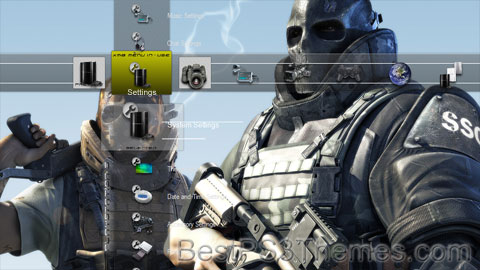
Billy’s Theme by billy

Download: BillysTheme.p3t

Billy’s Theme
(11 backgrounds)

P3T Unpacker v0.12
Copyright (c) 2007. Anoop Menon

This program unpacks Playstation 3 Theme files (.p3t) so that you can touch-up an existing theme to your likings or use a certain wallpaper from it (as many themes have multiple). But remember, if you use content from another theme and release it, be sure to give credit!

Download for Windows: p3textractor.zip

Instructions:

Download p3textractor.zip from above. Extract the files to a folder with a program such as WinZip or WinRAR. Now there are multiple ways to extract the theme.

The first way is to simply open the p3t file with p3textractor.exe. If you don’t know how to do this, right click the p3t file and select Open With. Alternatively, open the p3t file and it will ask you to select a program to open with. Click Browse and find p3textractor.exe from where you previously extracted it to. It will open CMD and extract the theme to extracted.[filename]. After that, all you need to do for any future p3t files is open them and it will extract.

The second way is very simple. Just drag the p3t file to p3textractor.exe. It will open CMD and extract the theme to extracted.[filename].

For the third way, first put the p3t file you want to extract into the same folder as p3textractor.exe. Open CMD and browse to the folder with p3extractor.exe. Enter the following:
p3textractor filename.p3t [destination path]Replace filename with the name of the p3t file, and replace [destination path] with the name of the folder you want the files to be extracted to. A destination path is not required. By default it will extract to extracted.filename.

What’s on Your PS3?

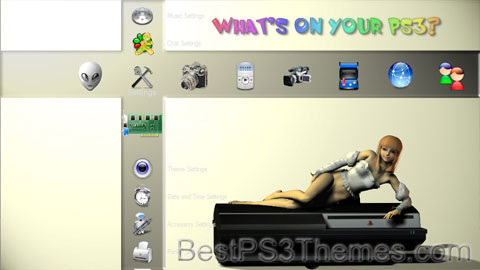
What’s on Your PS3? theme by Robert Watson

Download: WhatsOnYourPS3.p3t

What’s on Your PS3? Theme
(3 backgrounds)

P3T Unpacker v0.12
Copyright (c) 2007. Anoop Menon

This program unpacks Playstation 3 Theme files (.p3t) so that you can touch-up an existing theme to your likings or use a certain wallpaper from it (as many themes have multiple). But remember, if you use content from another theme and release it, be sure to give credit!

Download for Windows: p3textractor.zip

Instructions:

Download p3textractor.zip from above. Extract the files to a folder with a program such as WinZip or WinRAR. Now there are multiple ways to extract the theme.

The first way is to simply open the p3t file with p3textractor.exe. If you don’t know how to do this, right click the p3t file and select Open With. Alternatively, open the p3t file and it will ask you to select a program to open with. Click Browse and find p3textractor.exe from where you previously extracted it to. It will open CMD and extract the theme to extracted.[filename]. After that, all you need to do for any future p3t files is open them and it will extract.

The second way is very simple. Just drag the p3t file to p3textractor.exe. It will open CMD and extract the theme to extracted.[filename].

For the third way, first put the p3t file you want to extract into the same folder as p3textractor.exe. Open CMD and browse to the folder with p3extractor.exe. Enter the following:
p3textractor filename.p3t [destination path]Replace filename with the name of the p3t file, and replace [destination path] with the name of the folder you want the files to be extracted to. A destination path is not required. By default it will extract to extracted.filename.

Hot Girls

Hot Girls theme by Trevor

Download: HotGirls.p3t

Hot Girls Theme
(3 backgrounds)

"Hot Girls"
Single by Lil' Mo featuring Lil Wayne
from the album Syndicated: The Lil' Mo Hour
ReleasedNovember 9, 2004[1]
RecordedCutting Room
(New York City, New York)
GenreR&B, hip hop
Length3:52
LabelCash Money/Universal/Roun'table Entertainment
Songwriter(s)C. Loving, D. Carter, B. Cox
Producer(s)Bryan-Michael Cox
Lil' Mo singles chronology
"Can't Let You Go"
(2003)
"Hot Girls"
(2004)
"Dem Boyz"
(2005)
Lil Wayne singles chronology
"Go D.J."
(2004)
"Hot Girls"
(2004)
"Soldier"
(2004)

"Hot Girls," also known as its alternate title "Hot Boys, Hot Girls," is a R&B and hip hop song recorded by American recording artist Lil' Mo for her unreleased album, Syndicated: The Lil' Mo Hour (2005).[2] The song features guest vocals by former labelmate Lil Wayne and production by frequent collaborator Bryan-Michael Cox. A remix for the single featuring Fabolous was released on DJ Envy's mixtape, Ahead of the Game: The Final Chapter.[3]

Critical reception[edit]

In spite of the buzz garnered from Lil' Mo's record deal with Cash Money, reception for the song was generally mixed to negative. Critics felt that the song was an "insecure female anthem," due to Mo's recitation of "I'm not Britney, I'm not Jessica, I'm not Mýa but I'm still on fire."[4] Many were also appalled by Mo's verse: "...Mine don't look like yours but I still got it going on," where critics believed Mo was further solidifying her point of feeling some sort of insecurity or jealousy.[4] Others also did not take too likely of Lil Wayne's guest appearance either, where they felt he was "rapping like Jay-Z again."[4] By contrast, Jermy Leeuwis of Music Remedy complimented the single as "sizzling" and praised Lil Wayne's feature as "precocious."[5]

Formats and track listings[edit]

  • iTunes download[1]
No.TitleLength
1."Hot Girls" (Radio Version. Featuring Lil Wayne.)3:52
2."Hot Girls" (Radio Version - No Rap)3:21
No.TitleLength
1."Hot Girls" (Radio Version)3:51
2."Hot Girls" (Radio Version No Rap)3:51
3."Hot Girls" (Instrumental)3:48
4."Hot Girls" (Acapella)3:50
5."Hot Girls" (TV Track)3:50

Charts[edit]

Chart (2004) Peak
position
US Billboard Hot R&B/Hip-Hop Singles Sales[7] 28

References[edit]

  1. ^ a b "Hot Girls - Single by Lil' Mo". iTunes. Apple.com. Retrieved May 23, 2013.
  2. ^ Mitchell, Gail. "Lil' Mo In Cash Money Till." Billboard. July 17, 2004: 20. Print.
  3. ^ "Ahead of the Game: The Final Chapter - DJ Envy > Overview". AllMusic. Rovi Corporation. Retrieved May 23, 2013.
  4. ^ a b c "A/B Conversation > 'Hot Girls,' Lil' Mo, feat. Lil Wayne." Vibe. February 2005: 145. Print.
  5. ^ Leeuwis, Jermy (July 11, 2005). "Lil Mo released Syndicated (The Lil Mo Hour)". Music Remedy. Retrieved May 23, 2013.
  6. ^ "Lil Mo* Feat. Lil Wayne - Hot Girls (Vinyl) at Discogs". Discogs. Discogs.com. Retrieved May 23, 2013.
  7. ^ "Hot R&B/Hip-Hop Singles Sales – Issue Date: 2004-12-25". Billboard. Prometheus Global Media. Archived from the original on December 1, 2017. Retrieved May 23, 2013.