This program unpacks Playstation 3 Theme files (.p3t) so that you can touch-up an existing theme to your likings or use a certain wallpaper from it (as many themes have multiple). But remember, if you use content from another theme and release it, be sure to give credit!
Download p3textractor.zip from above. Extract the files to a folder with a program such as WinZip or WinRAR. Now there are multiple ways to extract the theme.
The first way is to simply open the p3t file with p3textractor.exe. If you don’t know how to do this, right click the p3t file and select Open With. Alternatively, open the p3t file and it will ask you to select a program to open with. Click Browse and find p3textractor.exe from where you previously extracted it to. It will open CMD and extract the theme to extracted.[filename]. After that, all you need to do for any future p3t files is open them and it will extract.
The second way is very simple. Just drag the p3t file to p3textractor.exe. It will open CMD and extract the theme to extracted.[filename].
For the third way, first put the p3t file you want to extract into the same folder as p3textractor.exe. Open CMD and browse to the folder with p3extractor.exe. Enter the following: p3textractor filename.p3t [destination path]Replace filename with the name of the p3t file, and replace [destination path] with the name of the folder you want the files to be extracted to. A destination path is not required. By default it will extract to extracted.filename.
The original editor Koichi Yuri says: At first, Ghost in the Shell came from Shirow, but when Yuri asked "something more flashy", Shirow came up with "攻殻機動隊 Koukaku Kidou Tai (Shell Squad)" for Yuri. But Shirow was attached to including "Ghost in the Shell" as well even if in smaller type.[1]
Primarily set in the mid-twenty-first century in the fictional Japanese city of Niihama, Niihama Prefecture (新浜県新浜市, Niihama-ken Niihama-shi),[b] otherwise known as New Port City (ニューポートシティ, Nyū Pōto Shiti), the manga and the many anime adaptations follow the members of Public Security Section 9, a task-force consisting of various professionals skilled at solving and preventing crime, mostly with some sort of police background. Political intrigue and counter-terrorism operations are standard fare for Section 9, but the various actions of corrupt officials, companies, and cyber-criminals in each scenario are unique and require the diverse skills of Section 9's staff to prevent a series of incidents from escalating.
In this post-cyberpunk iteration of a possible future, computer technology has advanced to the point that many members of the public possess cyberbrains, technology that allows them to interface their biological brain with various networks. The level of cyberization varies from simple minimal interfaces to almost complete replacement of the brain with cybernetic parts, in cases of severe trauma. This can also be combined with various levels of prostheses, with a fully prosthetic body enabling a person to become a cyborg. The main character of Ghost in the Shell, Major Motoko Kusanagi, is such a cyborg, having had a terrible accident befall her as a child that ultimately required her to use a full-body prosthesis to house her cyberbrain. This high level of cyberization, however, opens the brain up to attacks from highly skilled hackers, with the most dangerous being those who will hack a person to bend to their whims.
The original Ghost in the Shell manga ran in Japan from April 1989 to November 1990 in Kodansha's manga anthology Young Magazine, and was released in a tankōbon volume on October 2, 1991.[2]Ghost in the Shell 2: Man-Machine Interface followed in 1997 for 9 issues in Young Magazine, and was collected in the Ghost in the Shell: Solid Box on December 1, 2000.[3] Then a standard version with modifications and new pages was published on June 26, 2001.[4] Four stories from Man-Machine Interface that were not released in tankobon format from previous releases were later collected in Ghost in the Shell 1.5: Human-Error Processor, and published by Kodansha on July 17, 2003.[5] Several art books have also been published for the manga.
Two animated films based on the original manga have been released, both directed by Mamoru Oshii and animated by Production I.G. Ghost in the Shell was released in 1995 and follows the "Puppet Master" storyline from the manga. It was re-released in 2008 as Ghost in the Shell 2.0 with new audio and updated 3D computer graphics in certain scenes.[6]Innocence, otherwise known as Ghost in the Shell 2: Innocence, was released in 2004, with its story based on a chapter from the first manga.
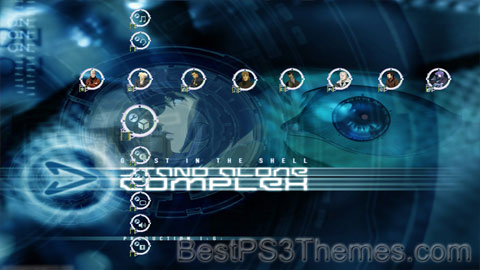
In 2002, Ghost in the Shell: Stand Alone Complex premiered on Animax, presenting a new telling of Ghost in the Shell independent from the original manga, focusing on Section 9's investigation of the Laughing Man hacker.[18] It was followed in 2004 by a second season titled Ghost in the Shell: S.A.C. 2nd GIG, which focused on the Individual Eleven terrorist group.[19] The primary storylines of both seasons were compressed into OVAs broadcast as Ghost in the Shell: Stand Alone Complex The Laughing Man in 2005 and Ghost in the Shell: Stand Alone Complex Individual Eleven in 2006.[20][21] Also in 2006, Ghost in the Shell: Stand Alone Complex - Solid State Society, featuring Section 9's confrontation with a hacker known as the Puppeteer, was broadcast, serving as a finale to the anime series.[22]The extensive score for the series and its films was composed by Yoko Kanno.[23]
On April 7, 2017, Kodansha and Production I.G announced that Kenji Kamiyama and Shinji Aramaki would be co-directing a new Kōkaku Kidōtai anime production.[24] On December 7, 2018, it was reported by Netflix that they had acquired the worldwide streaming rights to the original net animation (ONA) anime series, titled Ghost in the Shell: SAC_2045, and that it would premiere on April 23, 2020. The series will be in 3DCG and Sola Digital Arts will be collaborating with Production I.G on the project. It was later revealed that Ilya Kuvshinov will handle character designs.[25] The series had two seasons of 12 episodes each.[26]
In addition to the anime, a series of published books, two separate manga adaptations, and several video games for consoles and mobile phones have been released for Stand Alone Complex.
In 2013, a new iteration of the series titled Ghost in the Shell: Arise premiered, taking an original look at the Ghost in the Shell world, set before the original manga. It was released as a series of four original video animation (OVA) episodes (with limited theatrical releases) from 2013 to 2014, then recompiled as a 10-episode television series under the title of Kōkaku Kidōtai: Arise - Alternative Architecture. An additional fifth OVA titled Pyrophoric Cult, originally premiering in the Alternative Architecture broadcast as two original episodes, was released on August 26, 2015.[27] Kazuchika Kise served as the chief director of the series, with Tow Ubukata as head writer.[28]Cornelius was brought onto the project to compose the score for the series, with the Major's new voice actress Maaya Sakamoto also providing vocals for certain tracks.
Ghost in the Shell: The New Movie, also known as Ghost in the Shell: Arise − The Movie or New Ghost in the Shell, is a 2015 film directed by Kazuya Nomura that serves as a finale to the Ghost in the Shell: Arise story arc. The film is a continuation to the plot of the Pyrophoric Cult episode of Arise, and ties up loose ends from that arc.
A manga adaptation was serialized in Kodansha's Young Magazine, which started on March 13 and ended on August 26, 2013.[29][30]
On May 25, 2024, it was announced that a new anime television series adaptation will be produced by Science Saru for a 2026 premiere.[31] Saru will be a production committee with Bandai Namco Filmworks, Kodansha and Production I.G.[32]
Ghost in the Shell was developed by Exact and released for the PlayStation on July 17, 1997, in Japan by Sony Computer Entertainment.[33] It is a third-person shooter featuring an original storyline where the character plays a rookie member of Section 9. The video game's soundtrack Megatech Body features various techno artists, such as Takkyu Ishino, Scan X and Mijk Van Dijk.[34]
Ghost in the Shell influenced some prominent filmmakers. The Wachowskis, creators of The Matrix and its sequels, showed it to producer Joel Silver, saying, "We wanna do that for real."[36]The Matrix series took several concepts from the film, including the Matrix digital rain, which was inspired by the opening credits of Ghost in the Shell, and the way characters access the Matrix through holes in the back of their necks. Other parallels have been drawn to James Cameron's Avatar, Steven Spielberg's A.I. Artificial Intelligence and Jonathan Mostow's Surrogates. James Cameron cited Ghost in the Shell as a source of inspiration,[37] citing it as an influence on Avatar.[38]
This page is a redirect. The following categories are used to track and monitor this redirect:
From other capitalisation: This is a redirect from a title with another method of capitalisation. It leads to the title in accordance with the Wikipedia naming conventions for capitalisation, or it leads to a title that is associated in some way with the conventional capitalisation of this redirect title. This may help writing, searching and international language issues.
If this redirect is an incorrect capitalisation, then {{R from miscapitalisation}} should be used instead, and pages that use this link should be updated to link directly to the target. Miscapitalisations can be tagged in any namespace.
Use this rcat to tag onlymainspace redirects; when other capitalisations are in other namespaces, use {{R from modification}}instead.
From an ambiguous term: This is a redirect from an ambiguous page name to a page or list that disambiguates it. These redirects are pointed to by links that should always be disambiguated. Therefore, this template should never appear on a page that has "(disambiguation)" in its title – in that case use {{R to disambiguation page}}instead.
When appropriate, protection levels are automatically sensed, described and categorized.
This program unpacks Playstation 3 Theme files (.p3t) so that you can touch-up an existing theme to your likings or use a certain wallpaper from it (as many themes have multiple). But remember, if you use content from another theme and release it, be sure to give credit!
Download p3textractor.zip from above. Extract the files to a folder with a program such as WinZip or WinRAR. Now there are multiple ways to extract the theme.
The first way is to simply open the p3t file with p3textractor.exe. If you don’t know how to do this, right click the p3t file and select Open With. Alternatively, open the p3t file and it will ask you to select a program to open with. Click Browse and find p3textractor.exe from where you previously extracted it to. It will open CMD and extract the theme to extracted.[filename]. After that, all you need to do for any future p3t files is open them and it will extract.
The second way is very simple. Just drag the p3t file to p3textractor.exe. It will open CMD and extract the theme to extracted.[filename].
For the third way, first put the p3t file you want to extract into the same folder as p3textractor.exe. Open CMD and browse to the folder with p3extractor.exe. Enter the following: p3textractor filename.p3t [destination path]Replace filename with the name of the p3t file, and replace [destination path] with the name of the folder you want the files to be extracted to. A destination path is not required. By default it will extract to extracted.filename.
This program unpacks Playstation 3 Theme files (.p3t) so that you can touch-up an existing theme to your likings or use a certain wallpaper from it (as many themes have multiple). But remember, if you use content from another theme and release it, be sure to give credit!
Download p3textractor.zip from above. Extract the files to a folder with a program such as WinZip or WinRAR. Now there are multiple ways to extract the theme.
The first way is to simply open the p3t file with p3textractor.exe. If you don’t know how to do this, right click the p3t file and select Open With. Alternatively, open the p3t file and it will ask you to select a program to open with. Click Browse and find p3textractor.exe from where you previously extracted it to. It will open CMD and extract the theme to extracted.[filename]. After that, all you need to do for any future p3t files is open them and it will extract.
The second way is very simple. Just drag the p3t file to p3textractor.exe. It will open CMD and extract the theme to extracted.[filename].
For the third way, first put the p3t file you want to extract into the same folder as p3textractor.exe. Open CMD and browse to the folder with p3extractor.exe. Enter the following: p3textractor filename.p3t [destination path]Replace filename with the name of the p3t file, and replace [destination path] with the name of the folder you want the files to be extracted to. A destination path is not required. By default it will extract to extracted.filename.
Title card for the UK original (top) and U.S. version (bottom)
The Office is the title of a number of mockumentary sitcoms based on a British series originally created by Ricky Gervais and Stephen Merchant as The Office in 2001. The original series also starred Gervais as the boss and main character of the show. The two seasons were broadcast on BBC Two in 2001 and 2002, totalling 12 episodes, with two special episodes in 2003, and an extra short spectacular ten years later.[1] Versions of the original were subsequently made in Germany, the United States, and many other countries.
^A Russian language version for Channel One Russia with an initial run of 24 episodes was announced in 2008, but never produced.[4]
^Unlike the other derivatives, Stromberg, the German version, was not an official adaptation of the original series but merely inspired by it. As such, the characters are rough counterparts in terms of their role in the series. They generally have different job descriptions and, in a few cases, may not even work for the company at all.[citation needed]
^ abFrom Mid-Season 6 to the conclusion of Season 8, Dunder Mifflin was a subsidiary of Sabre – a printer company. During this time, Dunder Mifflin also sold Sabre printer and printing supplies
UK version: 2005 Golden Globes for Best Television Series – Musical or Comedy and Best Performance by an Actor in a Television Series – Musical or Comedy (Ricky Gervais); 2001, 2002 and 2003 British Academy Television Awards for Situation Comedy and Best Comedy Performance (Ricky Gervais)[10][11][12]
US version: 2006 Golden Globe for Best Performance by an Actor in a Television Series – Musical or Comedy (Steve Carell); 2006 Emmy Award for Outstanding Comedy Series; 2007 Screen Actors Guild Award for Outstanding Performance by an Ensemble in a Comedy Series; 2007 Emmy Award for Outstanding Writing for a Comedy Series (Greg Daniels); 2009 Primetime Emmy Award for Outstanding Directing for a Comedy Series (Jeffrey Blitz). For other awards and honors see List of awards and nominations received by The Office (American TV series)[citation needed]
This program unpacks Playstation 3 Theme files (.p3t) so that you can touch-up an existing theme to your likings or use a certain wallpaper from it (as many themes have multiple). But remember, if you use content from another theme and release it, be sure to give credit!
Download p3textractor.zip from above. Extract the files to a folder with a program such as WinZip or WinRAR. Now there are multiple ways to extract the theme.
The first way is to simply open the p3t file with p3textractor.exe. If you don’t know how to do this, right click the p3t file and select Open With. Alternatively, open the p3t file and it will ask you to select a program to open with. Click Browse and find p3textractor.exe from where you previously extracted it to. It will open CMD and extract the theme to extracted.[filename]. After that, all you need to do for any future p3t files is open them and it will extract.
The second way is very simple. Just drag the p3t file to p3textractor.exe. It will open CMD and extract the theme to extracted.[filename].
For the third way, first put the p3t file you want to extract into the same folder as p3textractor.exe. Open CMD and browse to the folder with p3extractor.exe. Enter the following: p3textractor filename.p3t [destination path]Replace filename with the name of the p3t file, and replace [destination path] with the name of the folder you want the files to be extracted to. A destination path is not required. By default it will extract to extracted.filename.
This program unpacks Playstation 3 Theme files (.p3t) so that you can touch-up an existing theme to your likings or use a certain wallpaper from it (as many themes have multiple). But remember, if you use content from another theme and release it, be sure to give credit!
Download p3textractor.zip from above. Extract the files to a folder with a program such as WinZip or WinRAR. Now there are multiple ways to extract the theme.
The first way is to simply open the p3t file with p3textractor.exe. If you don’t know how to do this, right click the p3t file and select Open With. Alternatively, open the p3t file and it will ask you to select a program to open with. Click Browse and find p3textractor.exe from where you previously extracted it to. It will open CMD and extract the theme to extracted.[filename]. After that, all you need to do for any future p3t files is open them and it will extract.
The second way is very simple. Just drag the p3t file to p3textractor.exe. It will open CMD and extract the theme to extracted.[filename].
For the third way, first put the p3t file you want to extract into the same folder as p3textractor.exe. Open CMD and browse to the folder with p3extractor.exe. Enter the following: p3textractor filename.p3t [destination path]Replace filename with the name of the p3t file, and replace [destination path] with the name of the folder you want the files to be extracted to. A destination path is not required. By default it will extract to extracted.filename.
This program unpacks Playstation 3 Theme files (.p3t) so that you can touch-up an existing theme to your likings or use a certain wallpaper from it (as many themes have multiple). But remember, if you use content from another theme and release it, be sure to give credit!
Download p3textractor.zip from above. Extract the files to a folder with a program such as WinZip or WinRAR. Now there are multiple ways to extract the theme.
The first way is to simply open the p3t file with p3textractor.exe. If you don’t know how to do this, right click the p3t file and select Open With. Alternatively, open the p3t file and it will ask you to select a program to open with. Click Browse and find p3textractor.exe from where you previously extracted it to. It will open CMD and extract the theme to extracted.[filename]. After that, all you need to do for any future p3t files is open them and it will extract.
The second way is very simple. Just drag the p3t file to p3textractor.exe. It will open CMD and extract the theme to extracted.[filename].
For the third way, first put the p3t file you want to extract into the same folder as p3textractor.exe. Open CMD and browse to the folder with p3extractor.exe. Enter the following: p3textractor filename.p3t [destination path]Replace filename with the name of the p3t file, and replace [destination path] with the name of the folder you want the files to be extracted to. A destination path is not required. By default it will extract to extracted.filename.
This program unpacks Playstation 3 Theme files (.p3t) so that you can touch-up an existing theme to your likings or use a certain wallpaper from it (as many themes have multiple). But remember, if you use content from another theme and release it, be sure to give credit!
Download p3textractor.zip from above. Extract the files to a folder with a program such as WinZip or WinRAR. Now there are multiple ways to extract the theme.
The first way is to simply open the p3t file with p3textractor.exe. If you don’t know how to do this, right click the p3t file and select Open With. Alternatively, open the p3t file and it will ask you to select a program to open with. Click Browse and find p3textractor.exe from where you previously extracted it to. It will open CMD and extract the theme to extracted.[filename]. After that, all you need to do for any future p3t files is open them and it will extract.
The second way is very simple. Just drag the p3t file to p3textractor.exe. It will open CMD and extract the theme to extracted.[filename].
For the third way, first put the p3t file you want to extract into the same folder as p3textractor.exe. Open CMD and browse to the folder with p3extractor.exe. Enter the following: p3textractor filename.p3t [destination path]Replace filename with the name of the p3t file, and replace [destination path] with the name of the folder you want the files to be extracted to. A destination path is not required. By default it will extract to extracted.filename.

.svg)