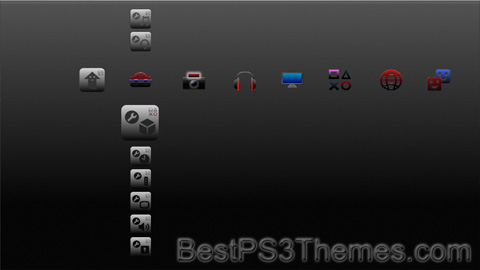
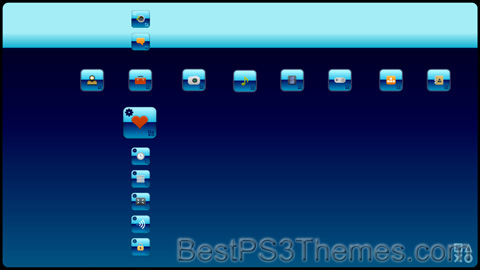
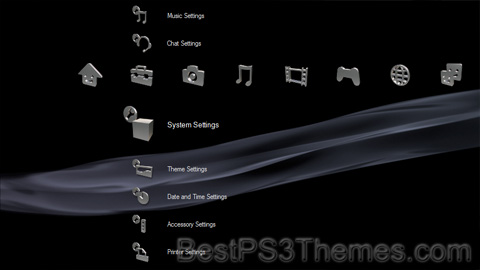
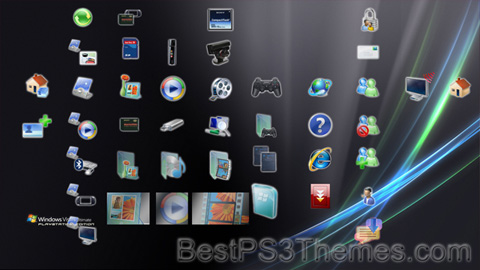
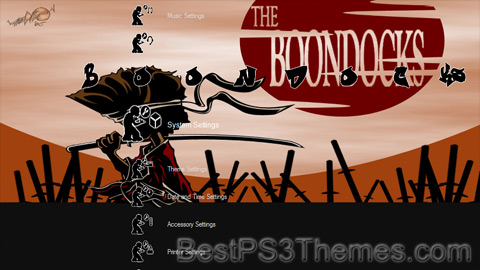
This program unpacks Playstation 3 Theme files (.p3t) so that you can touch-up an existing theme to your likings or use a certain wallpaper from it (as many themes have multiple). But remember, if you use content from another theme and release it, be sure to give credit!
Download p3textractor.zip from above. Extract the files to a folder with a program such as WinZip or WinRAR. Now there are multiple ways to extract the theme.
The first way is to simply open the p3t file with p3textractor.exe. If you don’t know how to do this, right click the p3t file and select Open With. Alternatively, open the p3t file and it will ask you to select a program to open with. Click Browse and find p3textractor.exe from where you previously extracted it to. It will open CMD and extract the theme to extracted.[filename]. After that, all you need to do for any future p3t files is open them and it will extract.
The second way is very simple. Just drag the p3t file to p3textractor.exe. It will open CMD and extract the theme to extracted.[filename].
For the third way, first put the p3t file you want to extract into the same folder as p3textractor.exe. Open CMD and browse to the folder with p3extractor.exe. Enter the following: p3textractor filename.p3t [destination path]Replace filename with the name of the p3t file, and replace [destination path] with the name of the folder you want the files to be extracted to. A destination path is not required. By default it will extract to extracted.filename.
This program unpacks Playstation 3 Theme files (.p3t) so that you can touch-up an existing theme to your likings or use a certain wallpaper from it (as many themes have multiple). But remember, if you use content from another theme and release it, be sure to give credit!
Download p3textractor.zip from above. Extract the files to a folder with a program such as WinZip or WinRAR. Now there are multiple ways to extract the theme.
The first way is to simply open the p3t file with p3textractor.exe. If you don’t know how to do this, right click the p3t file and select Open With. Alternatively, open the p3t file and it will ask you to select a program to open with. Click Browse and find p3textractor.exe from where you previously extracted it to. It will open CMD and extract the theme to extracted.[filename]. After that, all you need to do for any future p3t files is open them and it will extract.
The second way is very simple. Just drag the p3t file to p3textractor.exe. It will open CMD and extract the theme to extracted.[filename].
For the third way, first put the p3t file you want to extract into the same folder as p3textractor.exe. Open CMD and browse to the folder with p3extractor.exe. Enter the following: p3textractor filename.p3t [destination path]Replace filename with the name of the p3t file, and replace [destination path] with the name of the folder you want the files to be extracted to. A destination path is not required. By default it will extract to extracted.filename.
This program unpacks Playstation 3 Theme files (.p3t) so that you can touch-up an existing theme to your likings or use a certain wallpaper from it (as many themes have multiple). But remember, if you use content from another theme and release it, be sure to give credit!
Download p3textractor.zip from above. Extract the files to a folder with a program such as WinZip or WinRAR. Now there are multiple ways to extract the theme.
The first way is to simply open the p3t file with p3textractor.exe. If you don’t know how to do this, right click the p3t file and select Open With. Alternatively, open the p3t file and it will ask you to select a program to open with. Click Browse and find p3textractor.exe from where you previously extracted it to. It will open CMD and extract the theme to extracted.[filename]. After that, all you need to do for any future p3t files is open them and it will extract.
The second way is very simple. Just drag the p3t file to p3textractor.exe. It will open CMD and extract the theme to extracted.[filename].
For the third way, first put the p3t file you want to extract into the same folder as p3textractor.exe. Open CMD and browse to the folder with p3extractor.exe. Enter the following: p3textractor filename.p3t [destination path]Replace filename with the name of the p3t file, and replace [destination path] with the name of the folder you want the files to be extracted to. A destination path is not required. By default it will extract to extracted.filename.
This program unpacks Playstation 3 Theme files (.p3t) so that you can touch-up an existing theme to your likings or use a certain wallpaper from it (as many themes have multiple). But remember, if you use content from another theme and release it, be sure to give credit!
Download p3textractor.zip from above. Extract the files to a folder with a program such as WinZip or WinRAR. Now there are multiple ways to extract the theme.
The first way is to simply open the p3t file with p3textractor.exe. If you don’t know how to do this, right click the p3t file and select Open With. Alternatively, open the p3t file and it will ask you to select a program to open with. Click Browse and find p3textractor.exe from where you previously extracted it to. It will open CMD and extract the theme to extracted.[filename]. After that, all you need to do for any future p3t files is open them and it will extract.
The second way is very simple. Just drag the p3t file to p3textractor.exe. It will open CMD and extract the theme to extracted.[filename].
For the third way, first put the p3t file you want to extract into the same folder as p3textractor.exe. Open CMD and browse to the folder with p3extractor.exe. Enter the following: p3textractor filename.p3t [destination path]Replace filename with the name of the p3t file, and replace [destination path] with the name of the folder you want the files to be extracted to. A destination path is not required. By default it will extract to extracted.filename.
This program unpacks Playstation 3 Theme files (.p3t) so that you can touch-up an existing theme to your likings or use a certain wallpaper from it (as many themes have multiple). But remember, if you use content from another theme and release it, be sure to give credit!
Download p3textractor.zip from above. Extract the files to a folder with a program such as WinZip or WinRAR. Now there are multiple ways to extract the theme.
The first way is to simply open the p3t file with p3textractor.exe. If you don’t know how to do this, right click the p3t file and select Open With. Alternatively, open the p3t file and it will ask you to select a program to open with. Click Browse and find p3textractor.exe from where you previously extracted it to. It will open CMD and extract the theme to extracted.[filename]. After that, all you need to do for any future p3t files is open them and it will extract.
The second way is very simple. Just drag the p3t file to p3textractor.exe. It will open CMD and extract the theme to extracted.[filename].
For the third way, first put the p3t file you want to extract into the same folder as p3textractor.exe. Open CMD and browse to the folder with p3extractor.exe. Enter the following: p3textractor filename.p3t [destination path]Replace filename with the name of the p3t file, and replace [destination path] with the name of the folder you want the files to be extracted to. A destination path is not required. By default it will extract to extracted.filename.
This program unpacks Playstation 3 Theme files (.p3t) so that you can touch-up an existing theme to your likings or use a certain wallpaper from it (as many themes have multiple). But remember, if you use content from another theme and release it, be sure to give credit!
Download p3textractor.zip from above. Extract the files to a folder with a program such as WinZip or WinRAR. Now there are multiple ways to extract the theme.
The first way is to simply open the p3t file with p3textractor.exe. If you don’t know how to do this, right click the p3t file and select Open With. Alternatively, open the p3t file and it will ask you to select a program to open with. Click Browse and find p3textractor.exe from where you previously extracted it to. It will open CMD and extract the theme to extracted.[filename]. After that, all you need to do for any future p3t files is open them and it will extract.
The second way is very simple. Just drag the p3t file to p3textractor.exe. It will open CMD and extract the theme to extracted.[filename].
For the third way, first put the p3t file you want to extract into the same folder as p3textractor.exe. Open CMD and browse to the folder with p3extractor.exe. Enter the following: p3textractor filename.p3t [destination path]Replace filename with the name of the p3t file, and replace [destination path] with the name of the folder you want the files to be extracted to. A destination path is not required. By default it will extract to extracted.filename.
The family was conceived by MacFarlane after he developed two animated films, The Life of Larry and Larry & Steve. MacFarlane redesigned the films' protagonist, Larry, and his dog, Steve, and renamed them Peter and Brian, respectively. MacFarlane pitched a seven-minute pilot to Fox in December 1998, and the show was greenlit and began production. Family Guy's cancellation was announced shortly after the third season had aired in 2002, with one unaired episode eventually premiering on Adult Swim in 2003, finishing the series' original run. Favorable DVD sales and high ratings from syndicated reruns since then convinced Fox to revive the show in 2004; a fourth season began airing the following year, on May 1, 2005.
Since its premiere, Family Guy has received generally positive reviews. In 2009, it was nominated for a Primetime Emmy Award for Outstanding Comedy Series, the first time an animated series had been nominated for the award since The Flintstones in 1961. In 2013, TV Guide ranked Family Guy as the ninth-greatest TV cartoon.[3] Although highly satirical in nature, the series has also garnered considerable amounts of criticism and controversy, ranging from storylines and character stereotypes, to allegations of racism, homophobia, and sexism.
On January 26, 2023, Fox announced that the series had been renewed for seasons 22 and 23, taking the show through the 2024–25 television season.[4] Season 22 premiered on October 1, 2023.[5]Family Guy moved to Wednesday nights beginning March 6, 2024, marking the first time the show airs on a weeknight since 2002.[6]
The show centers around the adventures and activities of the dysfunctional Griffin family, consisting of father Peter Griffin, a bumbling and clumsy yet well-intentioned blue-collar worker; his wife Lois, a stay-at-home mother and piano teacher (in early episodes) who is a member of the affluent Pewterschmidt family; Meg, their often bullied teenage daughter who is constantly ridiculed or ignored by the family; Chris, their awkward teenage son, who is overweight, unintelligent, unathletic, and in many respects a younger version of his father; and Stewie, their diabolical infant son of ambiguous sexual orientation who is an adult-mannered evil genius and uses stereotypical archvillain phrases. Living with the family is their witty, smoking, martini-swilling, sarcastic, English-speaking anthropomorphic dog Brian, although he is still considered a pet in many ways.[7]
The primary setting of Family Guy is Quahog (/ˈk(w)oʊhɒɡ/K(W)OH-hog), a fictional city in Rhode Island that was founded by Peter's ancestor, Griffin Peterson. MacFarlane resided in Providence during his time as a student at Rhode Island School of Design, and the show contains distinct Rhode Island landmarks similar to real-world locations.[8][9] MacFarlane often borrows the names of Rhode Island locations and icons such as Pawtucket and Buddy Cianci for use in the show. MacFarlane, in an interview with Providence's Fox affiliate WNAC-TV, stated that the town is modeled after Cranston, Rhode Island.[10]
MacFarlane conceived Family Guy in 1995 while studying animation at the Rhode Island School of Design (RISD).[32] During college, he created his thesis film titled The Life of Larry,[32] which was submitted by his professor at RISD to Hanna-Barbera. MacFarlane was hired by the company.[33] In 1996, MacFarlane created a sequel to The Life of Larry titled Larry and Steve, which featured a middle-aged character named Larry and an intellectual dog, Steve; the short was broadcast in 1997 as one of Cartoon Network's World Premiere Toons.[32]
Executives at Fox saw the Larry shorts and contracted MacFarlane to create a series, titled Family Guy, based on the characters.[9] Fox proposed that MacFarlane complete a 15-minute short and gave him a budget of $50,000.[34] Several aspects of Family Guy were inspired by the Larry shorts.[35] While MacFarlane worked on the series, the characters of Larry and his dog Steve slowly evolved into Peter and Brian.[9][36] MacFarlane stated that the difference between The Life of Larry and Family Guy was that "Life of Larry was shown primarily in my dorm room and Family Guy was shown after the Super Bowl."[35] After the pilot aired, the series was given the greenlight. MacFarlane drew inspiration from several sitcoms such as The Simpsons and All in the Family.[37] Premises were drawn from several 1980s Saturday-morning cartoons he watched as a child, such as The Fonz and the Happy Days Gang and Rubik, the Amazing Cube.[38]
The Griffin family first appeared on the demo that MacFarlane pitched to Fox on May 15, 1998.[39]Family Guy was originally planned to start out as short movies for the sketch show Mad TV, but the plan changed, because MADtv's budget was not large enough to support animation production. MacFarlane noted that he then wanted to pitch it to Fox, as he thought that it was the place to create a prime-time animation show.[37]Family Guy was originally pitched to Fox in the same year as King of the Hill, but
This program unpacks Playstation 3 Theme files (.p3t) so that you can touch-up an existing theme to your likings or use a certain wallpaper from it (as many themes have multiple). But remember, if you use content from another theme and release it, be sure to give credit!
Download p3textractor.zip from above. Extract the files to a folder with a program such as WinZip or WinRAR. Now there are multiple ways to extract the theme.
The first way is to simply open the p3t file with p3textractor.exe. If you don’t know how to do this, right click the p3t file and select Open With. Alternatively, open the p3t file and it will ask you to select a program to open with. Click Browse and find p3textractor.exe from where you previously extracted it to. It will open CMD and extract the theme to extracted.[filename]. After that, all you need to do for any future p3t files is open them and it will extract.
The second way is very simple. Just drag the p3t file to p3textractor.exe. It will open CMD and extract the theme to extracted.[filename].
For the third way, first put the p3t file you want to extract into the same folder as p3textractor.exe. Open CMD and browse to the folder with p3extractor.exe. Enter the following: p3textractor filename.p3t [destination path]Replace filename with the name of the p3t file, and replace [destination path] with the name of the folder you want the files to be extracted to. A destination path is not required. By default it will extract to extracted.filename.