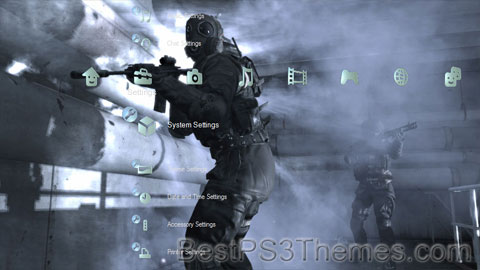
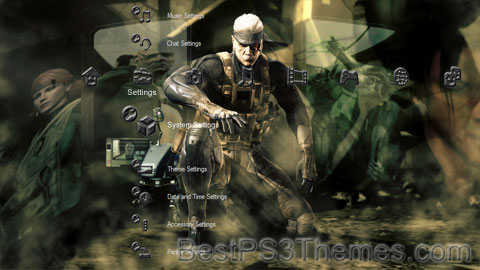
Tails

Tails theme by Beast

Download: Tails.p3t
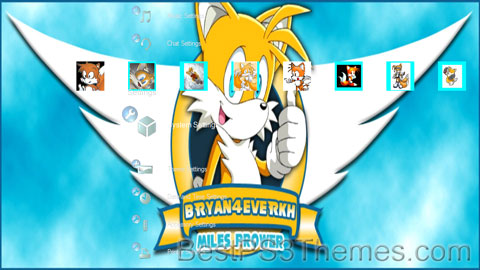
Tails Theme
(1 background)

Redirect to:

Eye of Judgment Biolith

Eye of Judgment (Judgement) Biolith theme by Xehos

Download: EyeofJudgmentBiolith.p3t
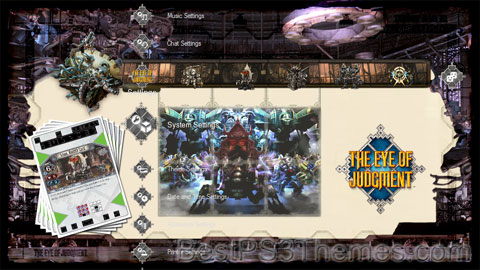
Eye of Judgment Biolith Theme
(4 backgrounds)

P3T Unpacker v0.12
Copyright (c) 2007. Anoop Menon

This program unpacks Playstation 3 Theme files (.p3t) so that you can touch-up an existing theme to your likings or use a certain wallpaper from it (as many themes have multiple). But remember, if you use content from another theme and release it, be sure to give credit!

Download for Windows: p3textractor.zip

Instructions:

Download p3textractor.zip from above. Extract the files to a folder with a program such as WinZip or WinRAR. Now there are multiple ways to extract the theme.

The first way is to simply open the p3t file with p3textractor.exe. If you don’t know how to do this, right click the p3t file and select Open With. Alternatively, open the p3t file and it will ask you to select a program to open with. Click Browse and find p3textractor.exe from where you previously extracted it to. It will open CMD and extract the theme to extracted.[filename]. After that, all you need to do for any future p3t files is open them and it will extract.

The second way is very simple. Just drag the p3t file to p3textractor.exe. It will open CMD and extract the theme to extracted.[filename].

For the third way, first put the p3t file you want to extract into the same folder as p3textractor.exe. Open CMD and browse to the folder with p3extractor.exe. Enter the following:
p3textractor filename.p3t [destination path]Replace filename with the name of the p3t file, and replace [destination path] with the name of the folder you want the files to be extracted to. A destination path is not required. By default it will extract to extracted.filename.

LittleBigPlanet #10

LittleBigPlanet theme by Sjarper

Download: LittleBigPlanet_10.p3t
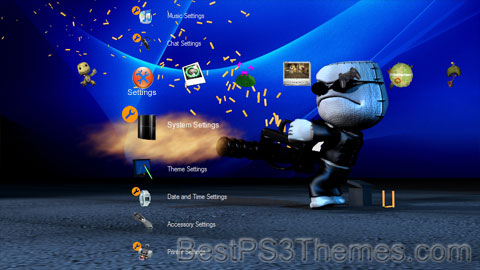
LittleBigPlanet Theme 10
(6 backgrounds)

LittleBigPlanet
Genre(s)Platform, endless running
Developer(s)Media Molecule (2008-2014)
SCE Studio Cambridge (2009)
Supermassive Games (2010)
XDev (2010-2012)
Double Eleven (2012)
Tarsier Studios (2012)
United Front Games (2012)
San Diego Studio (2012)
Firesprite (2014)
Sumo Digital (2014-2020)
Exient Entertainment (2023)
Publisher(s)Sony Interactive Entertainment
PlayStation Mobile (2014)
Platform(s)PlayStation 3
PlayStation Portable
PlayStation Vita
PlayStation 4
PlayStation 5
Windows
First releaseLittleBigPlanet
27 October 2008
Latest releaseUltimate Sackboy
March 3, 2023

LittleBigPlanet (LBP - stylised as LittleBIGPlanet) is a puzzle platform video game series created and produced by British developer Media Molecule and published by Sony Interactive Entertainment. Most games in the series put a strong emphasis on user-generated content and are based on the series' tagline "Play, Create, Share". The tagline represents the three core elements of the series: playing alone or with others locally (on the same console) or online, creating new content using the in-game creation tools, and sharing creations and discoveries online with other players.

Tarsier Studios, Fireproof Games and Supermassive Games also contribute to the development of the PlayStation 3 games, creating in-game assets (downloadable content) including costumes, backgrounds, objects, and stickers. Some of these assets will also provide the player more tools and gadgets to use in the level editor.[1]

The series comprises six games across five gaming platforms. The series was launched in 2008 with the PlayStation 3 game LittleBigPlanet, which was followed in 2009 by a PlayStation Portable version of the same name, initially developed by Studio Liverpool[2] and later handed to SCE Studio Cambridge. The sequel to the PlayStation 3 version, LittleBigPlanet 2, was released in January 2011 alongside a smaller spin-off title called Sackboy's Prehistoric Moves. LittleBigPlanet PS Vita was developed by Tarsier Studios and Double Eleven, released in September 2012 for the PlayStation Vita. At E3 2014, Sony announced LittleBigPlanet 3, a PlayStation 4 instalment that was developed by Sumo Digital and released in November 2014.[3] The games are all published by Sony Computer Entertainment. The latest instalment for the LittleBigPlanet franchise titled Sackboy: A Big Adventure was revealed during the PS5 live event and released on the PlayStation 4 and PlayStation 5 in November 2020. A Windows version was released on 27 October 2022.[4]

On 17 January 2015, it was announced that all LittleBigPlanet servers in Japan would shut down on 31 July, along with the PlayStation Portable version and LittleBigPlanet Karting in late August in all regions. Due to attacks on the online servers, all LittleBigPlanet servers were taken down in May 2021 (the Vita version had remained closed since March).[5] The servers for the PS4 version of LittleBigPlanet 3 were brought back up on 13 September 2021, however, in the same announcement, it mentioned that the servers for LittleBigPlanet, LittleBigPlanet 2, LittleBigPlanet PS Vita and the PS3 version of LittleBigPlanet 3 will remain closed permanently.[6] On 8 January, 2024, it was announced that, presumably due to more attacks on the online servers, the servers for the PS4 version of LittleBigPlanet 3 were being temporarily closed while they investigate them.[7][8][9]

On 19 April 2024, the servers for the PlayStation 4 version of LittleBigPlanet 3 were permanently shut down due to ongoing technical issues.[10]

Gameplay[edit]

The core mechanics of the series revolve around its tagline, "Play, Create, Share".[11]

Play[edit]

In the first two instalments of the series, gameplay consist primarily of traditional two-dimensional look in a three-dimensional style platforming like jumping and avoiding obstacles to successfully navigate to the end of a level to win.[12] Since LittleBigPlanet 2, the series has included mini-games, including ones that do not follow the platformer genre. Most LittleBigPlanet games involve a player playing solo or co-operatively with friends to navigate through a level whilst collecting various "bubbles" along the way, which can take the form of either points or collectibles. In-game collectibles can be used in level creation or to customize Sackboy, the player character. There are also numerous co-operative parts of levels whereby certain prize bubbles can be earned. In LittleBigPlanet 3 and Sackboy: A Big Adventure, Collectables are also present, being used in various shops to purchase more costumes.

Create[edit]

The Create component primarily refers to level creation in the game, along with other features like character customisation. Players can create their own levels with the built-in level creator. Many items that are collected while playing through the story mode and from LittleBigPlanet's community can be used to help with level creation.[13] These levels can remain as the original LittleBigPlanet platforming gameplay, or they can include other game types, such as racing, fighting, shooting and sports.[12] The player can also make non-gaming creations such as music and films (commonly known in-game as cut-scenes).[14] In LittleBigPlanet 2, Sackbots were introduced to give players more control over non-player characters in their levels as well as make the levels in their entirety more intelligent. The creation technique introduced on the game gave the possibility for logic, and it gave the ability to build sets of machines and complex contraptions.[14]

Share[edit]

Lastly, the Share component relates to sharing creations with the game's community by uploading levels to the PlayStation Network. To-date there were an excess of ten million user-created levels available to play on the LittleBigPlanet server in the PlayStation 3 games.[15] After the release of LittleBigPlanet 2 and the LBP.me community website, the Share component also had a strong emphasis sharing discoveries. Players were encouraged to share levels they found with other players by writing reviews and comments in-game and by sharing links to creations' LBP.me pages via social networks.

Overview[edit]

The series takes place in a world known as LittleBigPlanet. Each curator is in charge of a part of LittleBigPlanet and they govern them independently. LittleBigPlanet has geography inspired by the real-life Earth. All games in the series follow the main protagonist Sackboy, a small anthropomorphic creature made of brown fabric with a zip fastener and button eyes. He can be customized to the player's liking using costumes that are either unlocked in the game or bought as downloadable content from the PlayStation Store. The player can control Sackboy's four emotions; happiness, sadness, worry and anger, each of which has three levels of intensity. The English language version of each game is narrated by Stephen Fry and in all formats Fry's scripts are written by Dean Wilkinson.

Games[edit]

Release timeline
2008LittleBigPlanet
2009LittleBigPlanet (PSP)
2010Sackboy's Prehistoric Moves
2011LittleBigPlanet 2
2012LittleBigPlanet PS Vita
LittleBigPlanet Karting
2013
2014Run Sackboy! Run!
LittleBigPlanet 3
2015
2016
2017
2018
2019
2020Sackboy: A Big Adventure
2021
2022
2023Ultimate Sackboy

Main series[edit]

LittleBigPlanet[edit]

The first game in the series was released on the PlayStation 3 platform in 2008 and was the first title developed by Media Molecule, under the name The Next Big Thing. The player controls Sackboy as he travels around the titular LittleBigPlanet, helping the eight creator curators of LittleBigPlanet with their problems in their own respective realms. Throughout the story, Sackboy tries to stop The Collector, one of the eight creator curators who has gone rogue, kidnapping the creations of LittleBigPlanet.[16] The game received widespread acclaim for its design, gameplay, and customization afforded to the player, particularly the built-in level editor. After its release, it received numerous industry awards.[17]

LittleBigPlanet 2[edit]

The second game in the series is a direct sequel to the first LittleBigPlanet and was developed by Media Molecule for the PlayStation 3 for a release in 2011. The sequel saw a major shift in the direction of the series, going from a primarily traditional platform game in the first two entries to a more varied style of gameplay called a "platform for games". The second game gave players a wider variety of options when it came to level design, which saw the creation of levels other than platforming such as racing, puzzles, and fighting games.[18] Following the events of the first two entries in the series, the game takes place when an antagonist known as the Negativitron invades LittleBigPlanet and begins to suck up all its inhabitants. Sackboy must team up with a secret organization known as "The Alliance", led by Larry Da Vinci, to save LittleBigPlanet from the Negativitron.[19] The game also supported the PlayStation Move, with an update post-launch.

LittleBigPlanet 3[edit]

LittleBigPlanet 3 is a game for the PlayStation 3[20][21][22] and PlayStation 4. Announced at E3 2014, it was developed by Sumo Digital and was released in November 2014. In the game, Sackboy is transported to another world, Bunkum, where he has to awaken its three missing heroes, OddSock, Toggle and Swoop, who are new playable characters. Sackboy travels through different worlds in order to free the 3 new characters and stop Newton.[23]

Handheld[edit]

LittleBigPlanet (PlayStation Portable)[edit]

A portable entry of the series was developed primarily by SCE Studio Cambridge in association with Media Molecule for the PlayStation Portable. The game, released in 2009, shared the same name as the original game; however, it was not a port of the PlayStation 3 game, but rather a new entry in the series. It has a story-mode with levels and features many of the same mechanics of its PlayStation 3 counterpart, such as customizations, albeit without the multiplayer component of the game. The game takes place after the events of the PlayStation 3 version of LittleBigPlanet, in which The Collector has been defeated. A carnival is being held and Sackboy decides to go around the world to invite the eight curators of LittleBigPlanet to the carnival whilst finding materials for his own carnival float.[24]

LittleBigPlanet PS Vita[edit]

The fourth game in the series was developed by Tarsier Studios, Double Eleven, and XDev for the PlayStation Vita handheld and had a 2012 release.[25] The game features the same core mechanics from LittleBigPlanet 2, with the focus being on a "platform for games" rather than a platformer like previous entries in the series before LittleBigPlanet 2. The game utilizes the unique controls of the PlayStation Vita by using its multi-touch touchscreen and its rear touchpad to navigate through various obstacles in stages as well as for level creation by users.[26] The game supports cross-buy of DLC costume packs between LittleBigPlanet 2, as well as LittleBigPlanet Karting.

Spinoff games[edit]

LittleBigPlanet Karting[edit]

LittleBigPlanet Karting is a kart racing game developed by United Front and San Diego Studio in conjunction with series creator Media Molecule for the PlayStation 3.[27] In its story mode, the player ventures through worlds including: LittleBigPlanet, Monster Islands, Victoria's Laboratory, The Progress Emporium, Eve's Asylum, The Space Bass, and Hoard, Sweet Hoard, to put an end to the Hoard racers, who snatch many pieces of the different planets to stash them in the Garage at the End of the Universe. Sony Entertainment America shut down the North American LittleBigPlanet Karting online servers on 31 August 2016.[28]

Sackboy's Prehistoric Moves[edit]

The game was developed by XDev as a spin-off from the LittleBigPlanet series utilizing the PlayStation Move on the PlayStation 3. It was released in December 2010, as a downloadable title from the PlayStation Store and was later bundled with LittleBigPlanet 2. The game was described as a "demo" and featured 10 prehistoric inspired story levels. In the game, Sackboy must save Little Big Planet from the T-Rex. Unlike the main games, which can be played as a single-player experience, the game required a minimum of two players to work.[29] This was due to the main mechanics of the spin-off whereby one player would control Sackboy traditionally using the gamepad for platforming while a second player had to use a PlayStation Move similar to a pointer to move obstacles and objects out of the way in order to successfully navigate a level.[30]

Run Sackboy! Run![edit]

Run Sackboy! Run! is a free-to-play endless running game developed by Firesprite and published by PlayStation Mobile that was released on iOS on 30 October 2014,[31] Android on 17 December 2014[32] and PlayStation Vita on 31 March 2015.[33] The game has no real plot, except for Sackboy running through Craftworld from the Negativitron. The game awarded players with exclusive costumes for LittleBigPlanet 3 (which was released at a similar time) by reaching point goals and collecting stickers.[34]

LittleBigPlanet Hub[edit]

LittleBigPlanet Hub is an unreleased free-to-play game for the PlayStation 3.[35] It was planned to be a downloadable title from the PlayStation Store which would have allowed players to create levels and play a curated selection of community levels from LittleBigPlanet and LittleBigPlanet 2 as well as 16 levels from the games' story modes. LittleBigPlanet Hub would also have contained weekly challenges, not found in other LittleBigPlanet games. Downloadable content purchased in other games were to be compatible with LittleBigPlanet Hub, and users were rumoured to be also able to access additional content from the PlayStation Store.[citation needed]

Since its announcement in August 2013, no further details about LittleBigPlanet Hub were revealed.[36] In February 2024, a beta tester posted a video showing gameplay from a beta build onto YouTube, and shortly afterwards, with assistance, dumped it online for download. This makes the build playable through unofficial means, such as emulations like RPCS3 or PlayStation 3 homebrew.[37]

Sackboy: A Big Adventure[edit]

Sackboy: A Big Adventure is a 2020 platform game developed by Sumo Digital and published by Sony Interactive Entertainment for the PlayStation 5 and the PlayStation 4. It was announced at the PlayStation 5 reveal event on June 11, 2020, and was released on November 12, 2020; a version for Windows was released on October 27, 2022, marking the series's first release on PCs. Unlike previous LittleBigPlanet entries with 2.5D platforming, A Big Adventure features a range of perspectives and 3D movement.

Ultimate Sackboy[edit]

Ultimate Sackboy is a free-to-play endless running game developed by Exient Entertainment and released on mobile on 21 February 2023. It is the first LittleBigPlanet game to feature limited-time paid subscriptions known as "Marathons." In contrast to Run Sackboy! Run!, it adopts the style from Sackboy: A Big Adventure and is played in 3D.

Reception[edit]

Aggregate review scores
Game Metacritic
LittleBigPlanet (PlayStation 3) 95/100[38]
LittleBigPlanet (PlayStation Portable) 87/100[39]
Sackboy's Prehistoric Moves 66/100[40]
LittleBigPlanet 2 91/100[41]
LittleBigPlanet PS Vita 88/100[42]
LittleBigPlanet Karting 74/100[43]
LittleBigPlanet 3 79/100[44]
Run Sackboy! Run! 65/100[45]
Sackboy: A Big Adventure 80/100[46]
Ultimate Sackboy 57/100[47]

Most of the games in the series have been well received by critics with the LittleBigPlanet on PlayStation 3 and PlayStation Portable gaining Metacritic scores of 95/100[38] and 87/100[39] respectively. LittleBigPlanet 2 garnered nearly as much acclaim as the first game, with an average score of 91/100.[48] LittleBigPlanet PS Vita also received very positive reviews and was the highest-ranked PS Vita game at the time of its release with an average score of 88/100.[49] However, the release of LittleBigPlanet 3 did not receive critical acclaim, garnering a mostly positive average of 79/100.[50] Critically, LittleBigPlanet Karting is the worst-performing major game in the series so far but still gained a "mixed or average" Metacritic score of 74/100.[51] However, the mobile game Run Sackboy! Run! performed worse, with a Metacritic score of 65/100.[52] Additionally, the character of Sackboy is often seen as a PlayStation mascot.[53] In 2011, readers of Guinness World Records Gamer's Edition voted Sackboy as the 50th-top video game character of all time.[54]

References[edit]

  1. ^ "Introducing the Extended LittleBigPlanet Family - Media Molecule - We make games". Media Molecule. Archived from the original on 21 February 2016. Retrieved 6 December 2010.
  2. ^ "LittleBigPlanet coming to PSP - CVG". Computerandvideogames.com. 8 April 2008. Archived from the original on 15 April 2014. Retrieved 14 June 2014.
  3. ^ "LittleBigPlanet 3 coming to PS4 this November". 10 June 2014. Archived from the original on 14 July 2014. Retrieved 10 June 2014.
  4. ^ "Sackboy: A Big Adventure coming to PC on October 27". Gematsu. 29 September 2022. Retrieved 29 September 2022.
  5. ^ "LittleBigPlanet Servers Taken Down After Hackers Post Hate Speech". PlayStation LifeStyle. 24 May 2021. Archived from the original on 13 September 2021. Retrieved 13 September 2021.
  6. ^ Yin-Poole, Wesley (13 September 2021). "Sony shuts down online for older LittleBigPlanet games "to protect the community"". Eurogamer. Archived from the original on 2 April 2022. Retrieved 13 September 2021.

    Gran Turismo 5 Muted

    Gran Turismo 5 Muted theme by Anthony Cook

    Download: GranTurismo5Muted.p3t
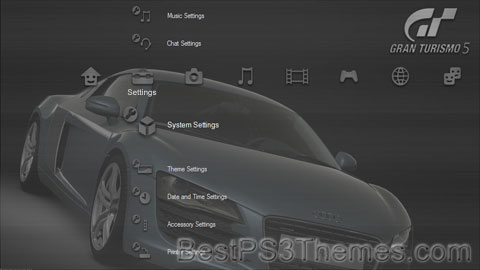
    Gran Turismo 5 Muted Theme
    (4 backgrounds)

    P3T Unpacker v0.12
    Copyright (c) 2007. Anoop Menon

    This program unpacks Playstation 3 Theme files (.p3t) so that you can touch-up an existing theme to your likings or use a certain wallpaper from it (as many themes have multiple). But remember, if you use content from another theme and release it, be sure to give credit!

    Download for Windows: p3textractor.zip

    Instructions:

    Download p3textractor.zip from above. Extract the files to a folder with a program such as WinZip or WinRAR. Now there are multiple ways to extract the theme.

    The first way is to simply open the p3t file with p3textractor.exe. If you don’t know how to do this, right click the p3t file and select Open With. Alternatively, open the p3t file and it will ask you to select a program to open with. Click Browse and find p3textractor.exe from where you previously extracted it to. It will open CMD and extract the theme to extracted.[filename]. After that, all you need to do for any future p3t files is open them and it will extract.

    The second way is very simple. Just drag the p3t file to p3textractor.exe. It will open CMD and extract the theme to extracted.[filename].

    For the third way, first put the p3t file you want to extract into the same folder as p3textractor.exe. Open CMD and browse to the folder with p3extractor.exe. Enter the following:
    p3textractor filename.p3t [destination path]Replace filename with the name of the p3t file, and replace [destination path] with the name of the folder you want the files to be extracted to. A destination path is not required. By default it will extract to extracted.filename.

Gran Turismo 5 Dark Style

Gran Turismo 5 Dark Style theme by Anthony Cook

Download: GranTurismo5DarkStyle.p3t
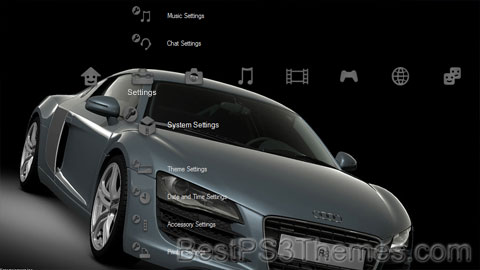
Gran Turismo 5 Dark Style Theme
(4 backgrounds)

P3T Unpacker v0.12
Copyright (c) 2007. Anoop Menon

This program unpacks Playstation 3 Theme files (.p3t) so that you can touch-up an existing theme to your likings or use a certain wallpaper from it (as many themes have multiple). But remember, if you use content from another theme and release it, be sure to give credit!

Download for Windows: p3textractor.zip

Instructions:

Download p3textractor.zip from above. Extract the files to a folder with a program such as WinZip or WinRAR. Now there are multiple ways to extract the theme.

The first way is to simply open the p3t file with p3textractor.exe. If you don’t know how to do this, right click the p3t file and select Open With. Alternatively, open the p3t file and it will ask you to select a program to open with. Click Browse and find p3textractor.exe from where you previously extracted it to. It will open CMD and extract the theme to extracted.[filename]. After that, all you need to do for any future p3t files is open them and it will extract.

The second way is very simple. Just drag the p3t file to p3textractor.exe. It will open CMD and extract the theme to extracted.[filename].

For the third way, first put the p3t file you want to extract into the same folder as p3textractor.exe. Open CMD and browse to the folder with p3extractor.exe. Enter the following:
p3textractor filename.p3t [destination path]Replace filename with the name of the p3t file, and replace [destination path] with the name of the folder you want the files to be extracted to. A destination path is not required. By default it will extract to extracted.filename.

Gran Turismo 5 Prologue

Gran Turismo 5 Prologue theme by Anthony Cook

Download: GranTurismo5Prologue.p3t
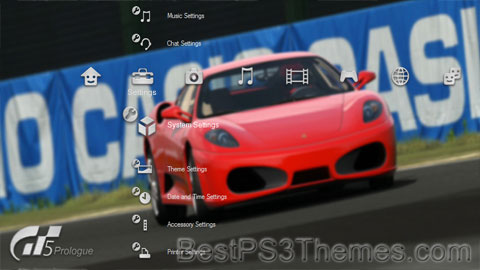
Gran Turismo 5 Prologue Theme
(5 backgrounds)

Gran Turismo 5 Prologue
European box art
Developer(s)Polyphony Digital
Publisher(s)Sony Computer Entertainment
Designer(s)Kazunori Yamauchi
SeriesGran Turismo
Platform(s)PlayStation 3
Release
Genre(s)Racing simulation
Mode(s)Single player, multiplayer

Gran Turismo 5 Prologue (グランツーリスモ5 プロローグ, Guran Tsūrisumo 5 Purorōgu) is a 2007 racing simulation video game developed by Polyphony Digital and published by Sony Computer Entertainment for the PlayStation 3. It is the eighth overall installment in the Gran Turismo series. Gran Turismo 5 Prologue is a precursor to Gran Turismo 5, in celebration of the series' tenth anniversary.[5]

The game has sold 5.09 million copies worldwide, making it the second highest-selling PlayStation 3 exclusive title after its successor, Gran Turismo 5.[6]

Gameplay[edit]

GT5 gaming area at the 2008 Taipei Game Show

This game introduced the ability to race with up to 16 cars at once to the Gran Turismo series. According to game developer Polyphony Digital, the NPC's AI has also improved from previous Gran Turismo games.[7]

New to the series is the realistic in-car view feature. It includes functioning speedometers, odometers, reflecting rear-view mirrors, wing mirrors and real-time in-car lighting effects, such as shadows. Players driving with either the control pad or the steering wheel can look left and right in the cockpit of the car by using the D-pad. This function can be mapped to other buttons on the controller if preferred. Any PlayStation 3 - compatible steering wheel works with Gran Turismo 5 Prologue. Three viewing modes show the car from exterior angles. The fourth, called "cockpit mode", includes the driver's perspective from the interior of the car looking past the steering wheel to the track and is available only for "premium" cars.[8]

The Spec II update brings Drift Mode (similar to that of Gran Turismo HD Concept), car tuning adjustments, and head to head two-player racing offline.[9]

Online[edit]

Gran Turismo 5 Prologue is the first mass-produced Gran Turismo game to feature online multiplayer.[10] Up to 16 players can play online at once in GT5 Prologue. Since Gran Turismo 5's development cycle was so long, GT5 Prologue's servers were online for two years even though the game only served as a prologue.[11] Gran Turismo 4 for the PlayStation 2 was intended to contain an online component, but this feature was pulled before the game's release to avoid further delays; a beta of GT4 online was even released.[12] Gran Turismo HD Concept also contained an online Time Trial feature.[13]

The latest update, entitled Spec III, added new cars and further improvements to the game and was released in October 2008. A separate disc was also released in Japan that included all updates, including Spec III. The Platinum release of the game, originally unveiled in Europe, also comes with the Spec III update.[14]

Interface[edit]

My Page interface in Gran Turismo 5 Prologue (Japanese version 1.01)

The game has a brand new interface called 'My Page' that acts as the player's personalized menu for the game. When the game starts up, the player is taken straight to this interface, and the currently selected car is displayed on the screen in a picturesque real-life location. The vehicle is set in a Full HD advanced 3D environment with a 360° camera and the GUI's real-time zoom-in function is enabled.

In the Japanese version, the 'My Page' interface includes:

  1. News: a regularly updated online log archiving game news such as newly added Online Event Races, VOD programs or technical information such as server maintenance schedule.
  2. GT-TV: a Video-on-demand service was offering free of charge and playable HD content. Available videos are real-life car-related videos such as new model tests, Auto show reports, car documentaries, or special event videos. Game videos such as opening and ending movies are also available for download from the Blu-ray Disc to the console's HDD once unlocked. However, premium content was discontinued on December 29, 2009, to move focus to the release of the full game.
  3. Online: Online Events consist of either multiplayer races from 2 up to 16 players (some of which are world scale), or online Time Trial events. Each event is limited in time, once finished, a ranking board shows the most successful players' scores. Top players' replay files are made available for download as ghost replays. Each week new events with their specific parameters (car class, tire types, assistance level, etc.) are added to the list while older are closed.
  4. Ranking: an online ranking board for each course archiving the best record per track and car.
  5. Arcade: a single race mode is allowing the player to choose a track to race on board the currently selected car and to compete against 15 AI-controlled cars. Credits are not earned in this mode.
  6. 2P Battle: an offline two-player split-screen mode.
  7. Event: Event Races are championships, time trials and mission races against the AI in various classes. Once completed in Gold, Silver, or Bronze level, new, harder classes are made available. Credits are earned by the player as he wins the races in top positions. Three basic classes are available Class C, B, and A. Once Class A is completed, the game's ending movie is available for download in GT-TV, and a bonus class called Class S is added.
  8. Garage: where the players' cars can be viewed, raced and also sold to earn credits.
  9. Dealerships: where the player can buy a new car using credits earned from Event races. Various models from world-famous automakers are available for purchase in the showroom. Some automakers have their Event race consisting of a one-make race for a specific model. Brand related News is regularly provided through online updates.
  10. Replay: saved or downloaded replays are available for watching.
  11. Option: various options settings for the game.
  12. Manual: the game's Playing Manual is displayed on-screen. The Manual is almost always updated with a software update.
  13. Save: allows to record the game when the auto-save feature is disabled.

When the user's PlayStation Network account is signed off, online content related icons are disabled (1, 2, 3 and 4). The Museum is activated from the 'My Page' interface once the game is in rolling demo mode. This feature provides the players with automakers' background and history.

Updates[edit]

Updates were available on game boot through online download, all free. Game content such as new cars, game modes or GT-TV videos were added with each update. Some elements such as BGMs are regionally exclusive due to licensing issues.[15] Once Polyphony Digital begun to focus on Gran Turismo 5, it stopped applying updates to GT5 Prologue.[16]

GT-TV[edit]

The Gran Turismo TV feature was introduced in the free demo version. The VOD service was activated on October 22, 2007, providing free SD trailers for three upcoming GT-TV programs,[17] Super GT ("Climax Digest"), D1 Grand Prix ("Top of the Drifting World") and Best Motoring ("Best Motoring Trailer").[18][17] From October 22 to November 30 three GT-TV exclusive HD videos featuring game producer Kazunori Yamauchi premiered in the demo: "First Impression: Lancer Evolution X",[19] "Tokyo Motor Show 2007"[20] and "GT-R Legend Inside Story part I".[21]

The demo was removed from the Japanese PlayStation Store on November 30[22] and its online functions ended on December 6,[23] however all issued VOD videos were later re-released in the game's retail version through updates, except the SD trailers. "The GT-R Legend Inside Story" part 1 documentary was included in the Blu-ray Disc though.[24] It was later completed by parts II & III, both released through GT-TV updates.

The first episode of the BBC's Top Gear series 6 was available for free since March 31.[25][26] In the meantime, five videos released in December 2007 have been removed. On April 1, two promotion videos for Super GT ("Fascination for the Super GT") and D1 Grand Prix ("The Drifting World") were added.[27] The first trailer for Video Option ("What is the Video Option?") was also included announcing upcoming releases for this magazine.[28]

On August 1, 2008, GT-TV was completely overhauled with a new interface, layout, and the launch of the PPV (pay-per-view) service. The "GT-R Legend Inside Story (all parts)", "'08 Nurburgring 24h Introduction" and "First Impression Lancer Evolution X" videos stayed free-of-charge. "Fascination for the Super GT", "The Drifting World", and "What is The Video Option?" videos were taken off of GT-TV.[29] The new update added new PPV videos; 8 Top Gear videos, 1 Option video, 1 Super GT video, D1 Grand Prix video, 1 Gran Turismo video and 1 Best Motoring video. Also kept were the opening and ending movies, also staying free-of-charge. All PPV videos were released at a reduced price at the launch of the service.[30] When asked whether the GT-TV service could come to the PSP, Yamauchi answered, "We definitely want to do that in the future", suggesting that watching GT-TV on the move could become a reality in the future, but this never happened ultimately.[31]

Cars[edit]

The Japanese release in December 2007 featured 37 stock cars (plus the uncredited GT-R "Black Mask" returning from the free playable demo) from various Japanese, European and American manufacturers including Nissan, Ferrari, and Ford.[32] While GT3 and GT4 did have Formula One cars, GT5 Prologue was the first of the series to feature a fully licensed F1 car, the F2007.

The Spec II update added new manufacturers, more stock cars and introduced racing cars and tuned cars. The update brought the total number of playable cars to 71.[33] The North American version of Gran Turismo 5 Prologue brought additional stock and tuned cars, increasing the game's car list to 76 credited cars.[34]

Tracks[edit]

Four circuits located in Japan, Europe, and North America are included in the original game, plus two fictitious tracks: The High-Speed Ring and Eiger/Eiger Nordwand. In the absence of suitable roads in the real-life location around Kleine Scheidegg and the Eiger, the game developers created the track based on an actual hiking trail.

Each track is available in two different layouts. London, High-Speed Ring, and Eiger Nordwand are available in the forward and reverse directions. The Fuji International Speedway is available in both "F1" and "GT" variation; the Daytona International Speedway has both the Oval and Road Course layouts; the Suzuka Circuit has a shorter layout known as the East Course.[35] Each real-life circuit has an HD video "Course Guide" that documents the location with actual footage and commentary text.

Spec II update[34] adds the Gran Turismo franchise's classic High-Speed Ring fictitious circuit (available in both forward and reverse version) which brings the total number of tracks to six (twelve different layouts).[36]

Input device support[edit]

The Gran Turismo 5 Prologue free playable demo was the first PlayStation 3 release supporting both Dual Shock 3 controller vibration and racing wheels force feedback feature. On February 20, 2008, Logitech announced a new Gran Turismo official wheel, the Driving Force GT to be launched in May to coincide with the game's western release.[37] Previous official Gran Turismo wheels are supported, which include the Driving Force Pro, GT Force, Driving Force and Driving Force EX. Limited support for the Logitech G25 Racing Wheel is available; the wheel is not officially supported, but it is possible to re-map the button layout via the Driving Force Pro setup screen[38] and the clutch can be enabled by pressing the triangle button at the start of each race, as soon as the player has control of the car.[39] Support for the Logitech G27 is also limited, for example, the paddle shifts do not work in-game, although the paddle shifts signals are detected (up and down) in the controller configuration screen.

Release[edit]

Japanese PSN demo[edit]

A free demo (グランツーリスモ5 プロローグ 無料体験版) was made available for download between October 20 and November 30, 2007[40] in the Japanese PlayStation store with the Suzuka Circuit and seven playable cars.[41] The demo unlocked cars as they were unveiled at the 40th Tokyo Motor Show. This demo replaced Gran Turismo HD Concept that was removed from the Japanese PlayStation Store on September 30.[42]

The demo initially had four playable cars from various Japanese and European manufacturers. The remaining three cars (Mazda ATENZA Sport '07, Lexus IS-F '07 and Subaru Impreza WRX STI '07) were unlocked as each one was unveiled at the Tokyo Motor Show. The show also unveiled the release of the Nissan GT-R '07 (replacing the "GT-R Black Mask" with its defining panels concealed).[43] The Black Mask was removed from the car section on October 23 to coincide with its official unveiling at the Tokyo Motor Show and was subsequently made available the following day.

SEMA Show 2007 demo[edit]

The North American version of Gran Turismo 5 Prologue demo was unveiled at Sony's booth during the 2007 SEMA Show in Las Vegas, Nevada.[44] Compared with the Japanese demo this new version had American cars (Dodge Viper GTS '02 and Ford Mustang V8 Coupe Premium '07) and tracks (Daytona International Speedway), these were included but not playable in the PSN demo. An American tuner car, the Art Morrison Corvette '60 SEMA version 2006, was added to the selectable vehicles.[44] This vehicle was later added to the retail game with update "Spec II".

Downshift Session 2008[edit]

This was an event held in October by Polyphony Digital to celebrate ten years of Gran Turismo. The main attraction in the show was Gran Turismo 5 Prologue running at a resolution of 3840x2160. The game normally runs at 60 FPS and 1920x1080 resolution. The game needed four PlayStation 3 consoles to run, and it was projected onto a 220-inch (5.6 m) screen using an expensive Sony projector. Each PS3 handled the rendering of one-quarter of the screen. With one PS3 system, approximately 2.1 million pixels would be displayed, but with this special high-resolution display, approximately 8.3 million pixels were displayed. A separate demo ran with the original resolution but at 240 FPS.[45]

Release with 80 GB PlayStation 3 in Japan[edit]

On October 9, 2008, Gran Turismo 5 Prologue Spec III was announced to be released for a limited time only, bundled with the new 80GB PS3 model released only in Japan. The new model had a choice of 3 colors; black, silver, and white, and came with the DualShock 3 controller as standard. Spec III introduced gameplay improvements and 3 new cars. The new packaging has also been shown, showing the GT by Citroën car on the front instead of the Nissan GT-R. The bundle was released on October 30.[46]

Documentary[edit]

Beyond the Apex is an 18-minute GT-TV documentary included in the Blu-ray version of the North American release of Gran Turismo 5 Prologue. This documentary was filmed and edited over four months by director Greg Harvey.[47] It features behind-the-scenes footage of the development of the game along with an interview with series creator, Kazunori Yamauchi.[48]

Soundtrack[edit]

A Gran Turismo 5 Prologue soundtrack was released in Japan on February 20, 2008. The CD is published by Village Music and includes 18 tracks.

The "Moon Over the Castle" theme song from the Gran Turismo series is featured, arranged and performed by Vince DiCola. DiCola stated in an interview with Music4Games that he recorded two versions of the theme, one for use in-game and the other for the soundtrack album.[49] This new version of the song was re-recorded in Los Angeles.[50]

Reception[edit]

Gran Turismo 5: Prologue received "generally favorable" reviews, according to review aggregator Metacritic.[51] According to SCEE's ThreeSpeech blog, the game has reached the one million mark in pre-orders from PAL territories making it the first PlayStation 3 game to reach Platinum status before its release.[55] Hyper's Eliot Fish commends the game for "looking and feeling fantastic". However, he criticizes it for having "no damage model".[56]

By April 30, 2008, Gran Turismo 5 Prologue had shipped 2.23 million worldwide according to Sony Computer Entertainment and Polyphony Digital, with 270,000 units in Japan, 550,000 in North America, 1.38 million in Europe, and 30,000 in Asia.[2] As of August 2009, Gran Turismo 5 Prologue has shipped 3.94 million copies worldwide, with 690,000 copies in Japan, 820,000 in North America, 2.33 million in Europe, and 100,000 in Southeast Asia.[57]

Gran Turismo 5 Prologue received a "Platinum" sales award from the Entertainment and Leisure Software Publishers Association (ELSPA),[58] indicating sales of at least 300,000 copies in the United Kingdom.[59] By December 2011, the games had sold 5.34 million copies; making it the second highest-selling PlayStation 3 title of all time being beaten by its successor, Gran Turismo 5.[60]

References[edit]

  1. ^ a b c ""Gran Turismo" Series Software Title List". Polyphony Digital. June 2009. Archived from the original on 2007-02-06. Retrieved 2009-08-12.
  2. ^ a b "Gran Turismo Series Shipment Exceeds 50 Million Units Worldwide" (Press release). Sony Computer Entertainment. 2008-05-09. Archived from the original on 2008-09-16. Retrieved 2008-10-10.
  3. ^ Games Release Schedule Archived January 13, 2008, at the Wayback Machine
  4. ^ Bramwell, Tom (2008-03-11). "European GT5 Prologue dated, priced". Eurogamer. Retrieved 2008-03-11.[permanent dead link]
  5. ^ "Gran Turismo 5 Prologue". PlayStation. Retrieved 2020-05-27.
  6. ^ "Polyphony Digital Software Title List". Archived from the original on 2007-02-06. Retrieved 2009-08-12.
  7. ^ Gran Turismo 5 Prologue official website - Introduction
  8. ^ "Review: Gran Turismo 5 is Premium Class". 27 November 2010.
  9. ^ DIGITAL, POLYPHONY. "Gran Turismo".
  10. ^ "Introduction - Gran Turismo 5 Prologue". Retrieved 2010-11-01.
  11. ^ "GT5 Online Teams/Leagues". Retrieved 2010-11-01.
  12. ^ Gran Turismo 4#Online test version
  13. ^ Gran Turismo HD Concept#Game modes
  14. ^ A Statement from Sony on Gran Turismo 5 Prologue 28 Mar. "A Statement from Sony on Gran Turismo 5 Prologue". Threespeech.com. Archived from the original on 2008-09-20. Retrieved 2011-07-18. {{cite web}}: |author= has generic name (help)CS1 maint: numeric names: authors list (link)
  15. ^ Jeff Haynes (2008-03-28). "New GT5 Prologue Details". Uk.ps3.ign.com. Retrieved 2011-07-18.

    Prince of Persia: The Two Thrones versionD

    Prince of Persia: The Two Thrones versionD theme by Deemy

    Download: POPTheTwoThrones_versionD.p3t
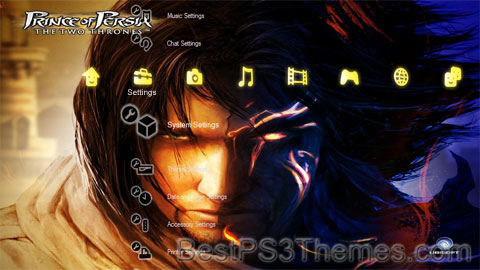
    Prince of Persia: The Two Thrones versionD Theme
    (14 backgrounds)

    P3T Unpacker v0.12
    Copyright (c) 2007. Anoop Menon

    This program unpacks Playstation 3 Theme files (.p3t) so that you can touch-up an existing theme to your likings or use a certain wallpaper from it (as many themes have multiple). But remember, if you use content from another theme and release it, be sure to give credit!

    Download for Windows: p3textractor.zip

    Instructions:

    Download p3textractor.zip from above. Extract the files to a folder with a program such as WinZip or WinRAR. Now there are multiple ways to extract the theme.

    The first way is to simply open the p3t file with p3textractor.exe. If you don’t know how to do this, right click the p3t file and select Open With. Alternatively, open the p3t file and it will ask you to select a program to open with. Click Browse and find p3textractor.exe from where you previously extracted it to. It will open CMD and extract the theme to extracted.[filename]. After that, all you need to do for any future p3t files is open them and it will extract.

    The second way is very simple. Just drag the p3t file to p3textractor.exe. It will open CMD and extract the theme to extracted.[filename].

    For the third way, first put the p3t file you want to extract into the same folder as p3textractor.exe. Open CMD and browse to the folder with p3extractor.exe. Enter the following:
    p3textractor filename.p3t [destination path]Replace filename with the name of the p3t file, and replace [destination path] with the name of the folder you want the files to be extracted to. A destination path is not required. By default it will extract to extracted.filename.

Eye of Judgment Water

Eye of Judgment (Judgement) Water theme by Xehos

Download: EyeofJudgmentWater.p3t
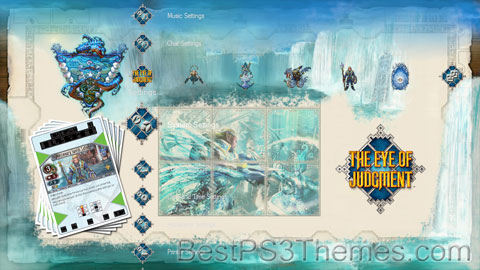
Eye of Judgement Water Theme
(4 backgrounds)

P3T Unpacker v0.12
Copyright (c) 2007. Anoop Menon

This program unpacks Playstation 3 Theme files (.p3t) so that you can touch-up an existing theme to your likings or use a certain wallpaper from it (as many themes have multiple). But remember, if you use content from another theme and release it, be sure to give credit!

Download for Windows: p3textractor.zip

Instructions:

Download p3textractor.zip from above. Extract the files to a folder with a program such as WinZip or WinRAR. Now there are multiple ways to extract the theme.

The first way is to simply open the p3t file with p3textractor.exe. If you don’t know how to do this, right click the p3t file and select Open With. Alternatively, open the p3t file and it will ask you to select a program to open with. Click Browse and find p3textractor.exe from where you previously extracted it to. It will open CMD and extract the theme to extracted.[filename]. After that, all you need to do for any future p3t files is open them and it will extract.

The second way is very simple. Just drag the p3t file to p3textractor.exe. It will open CMD and extract the theme to extracted.[filename].

For the third way, first put the p3t file you want to extract into the same folder as p3textractor.exe. Open CMD and browse to the folder with p3extractor.exe. Enter the following:
p3textractor filename.p3t [destination path]Replace filename with the name of the p3t file, and replace [destination path] with the name of the folder you want the files to be extracted to. A destination path is not required. By default it will extract to extracted.filename.